Groups
This solution area allows the creation of security groups, service teams, and management groups, which can be associated with distinct roles, workflow permissions, and contracts (multi-client).
The tool features a search screen and displays groups from the identity manager.
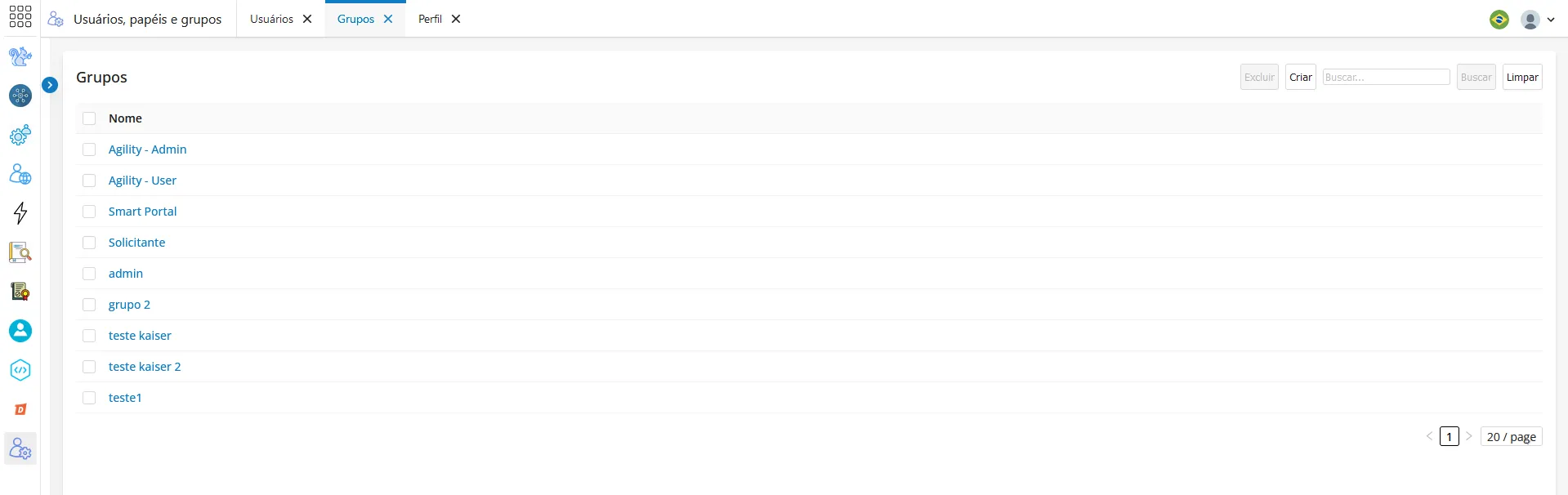
- By selecting all groups on the left, you can deactivate them.
- Additionally, you can edit or remove these groups in Actions, performed directly in the identity manager.
- You can create a new group by clicking the Create button.
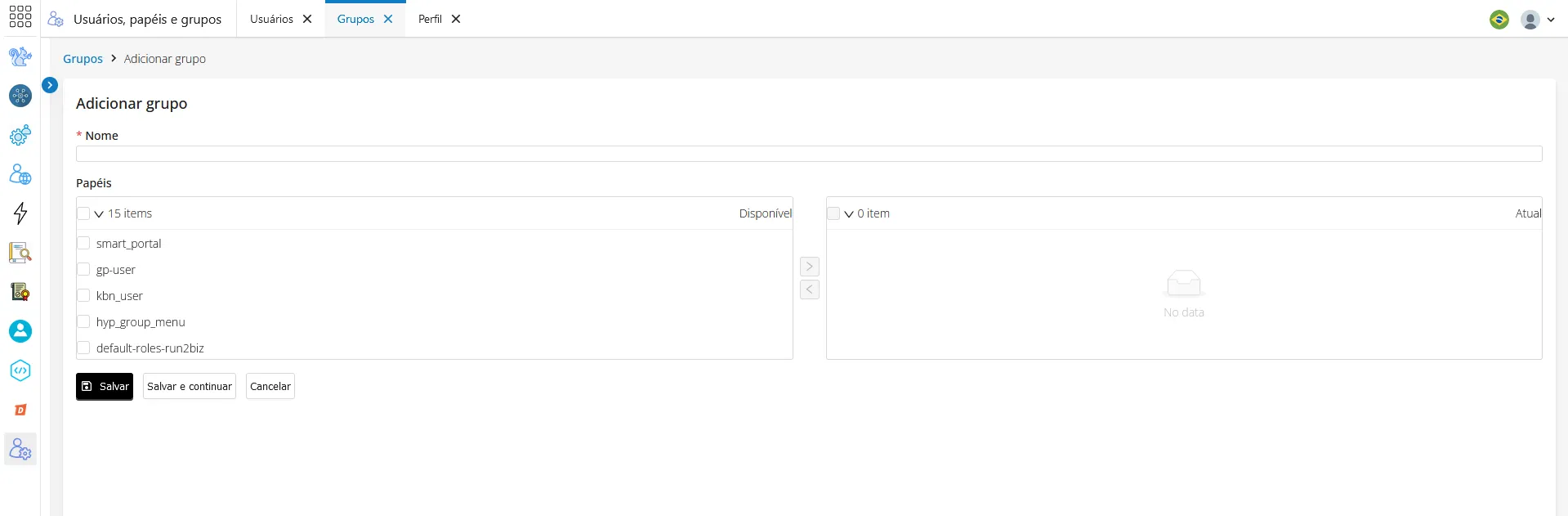
- When creating a new group, you can link these groups to roles.
- Furthermore, you can grant permissions by selecting which roles have menu access rights.
- Click "Save" or "Save and continue". Doing so will keep you on the registration screen.