Users
User Registration
This tool allows you to register users.
Procedure
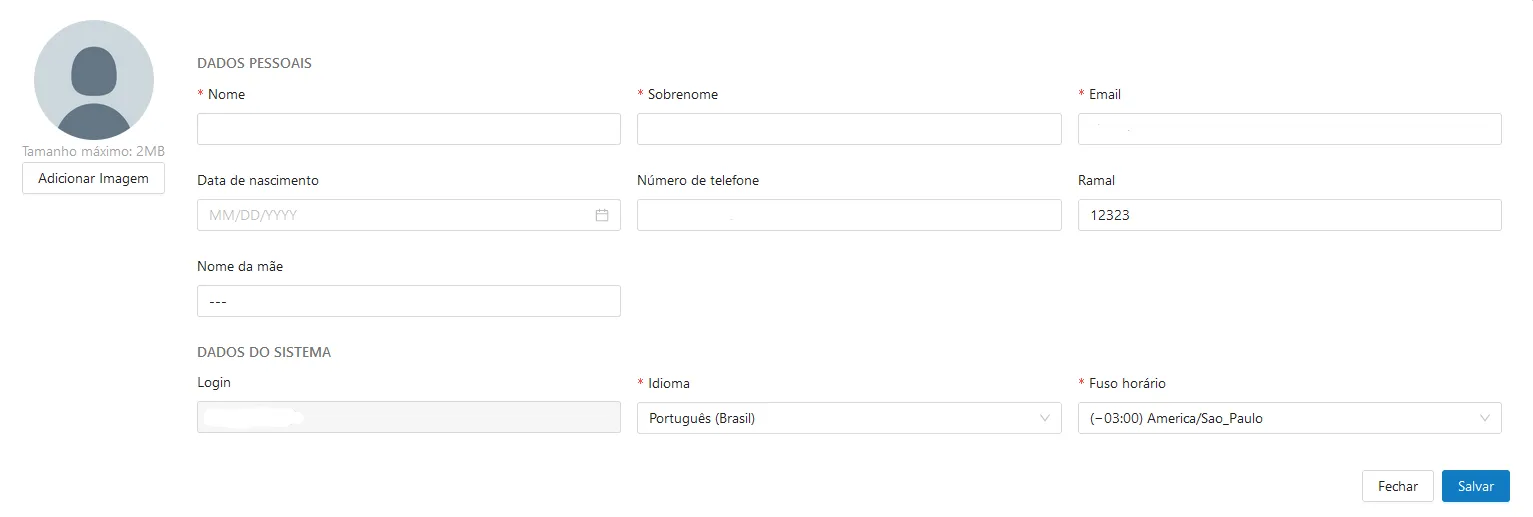
- To create a user, click the "Create" button ㊉ on the right side;
- Fill in all required fields:

- Select whether the user is active or not using the "Active?" button;
- This registration automatically displays the groups assigned to the user. This data comes from the Keycloak connection with the site:

- To register a new user, click the "Save and Continue" button.
Enabling and Disabling Users
This tool allows you to enable and disable users.
Procedure
- To disable an enabled user, click the desired checkbox ☐ located in the first column from left to right (next to the user's name), and in the top navigation bar on the right side, select "🗑 Disable".
- To enable a disabled user, click the desired checkbox ☐ located in the first column from left to right (next to the user's name), and in the top navigation bar on the right side, select "🗑 Enable".
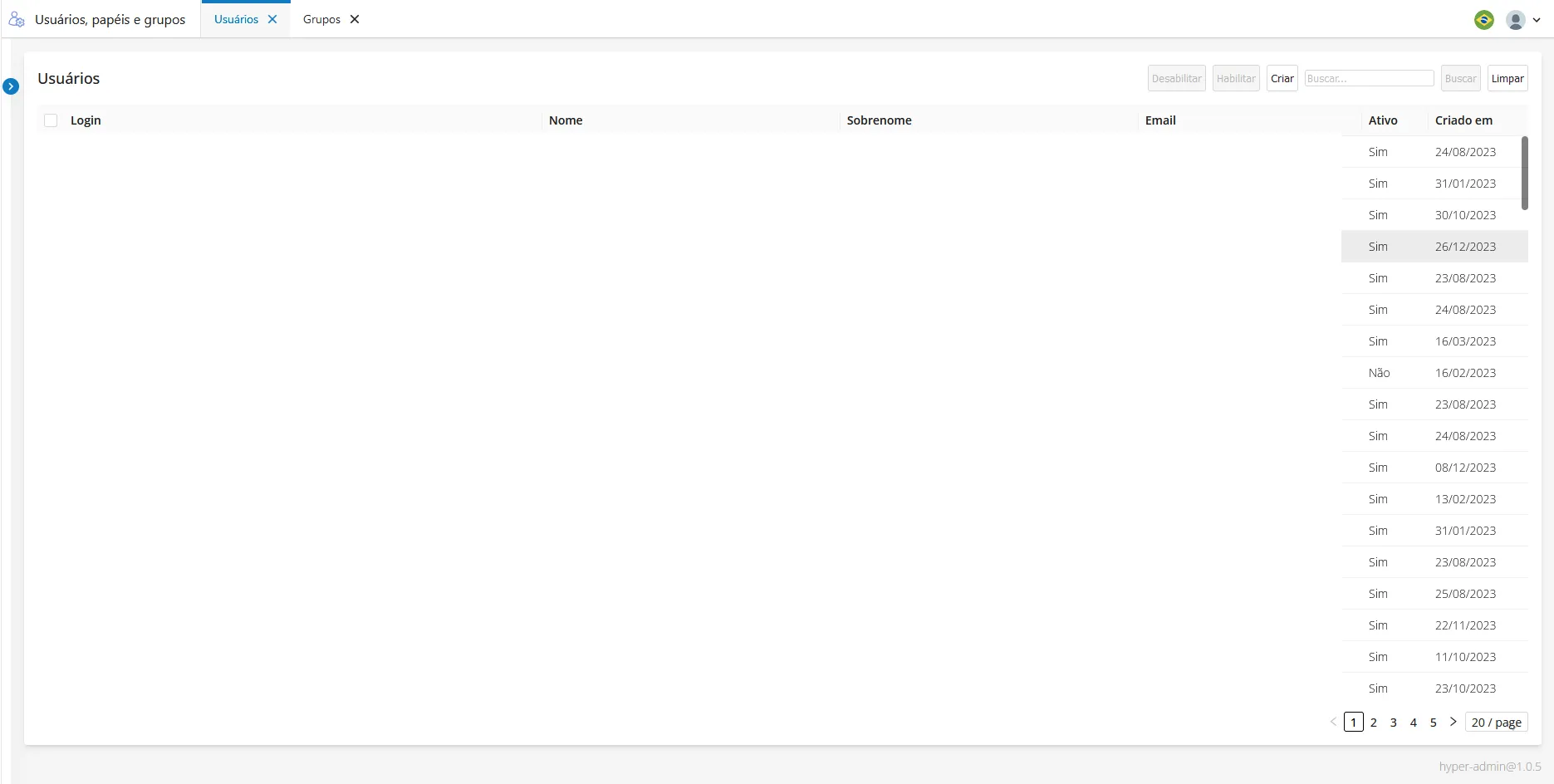
- You can edit a user by clicking the 🖊 icon located in the last column on the right.
- To delete a user, click the 🗑 icon located in the last column on the right.
Profile
This system allows you to modify user profile data.
On the Profile screen, you can update the following personal details:
- Email*
- Phone
- Extension
- First Name*
- Last Name*
- Mother's Name
- Language*
- Time Zone*
Fields marked with an asterisk (*) are mandatory.