Generating Reports - Knowledge Management
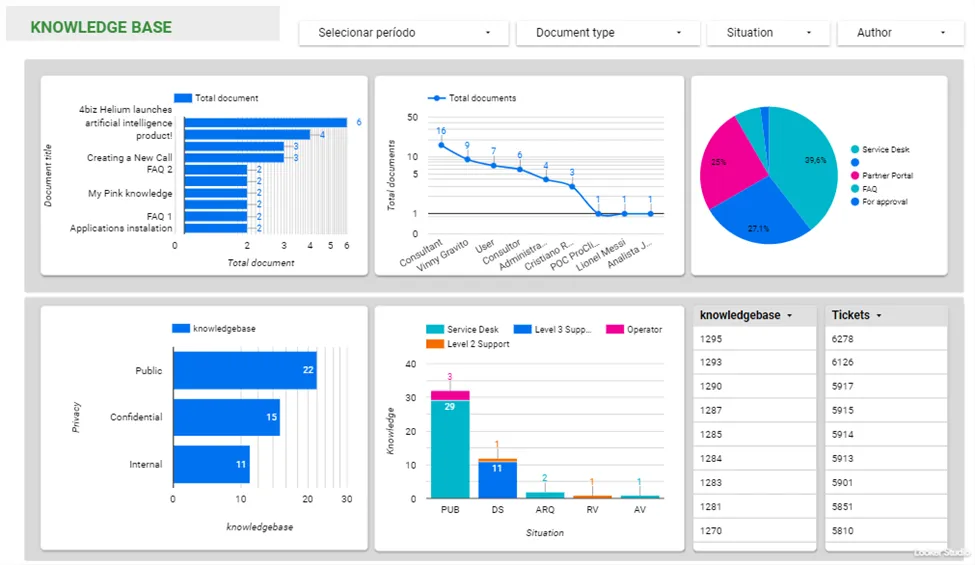
This document aims to present several types of reports related to the knowledge contained in the knowledge base.
Generating Report of Knowledge Base
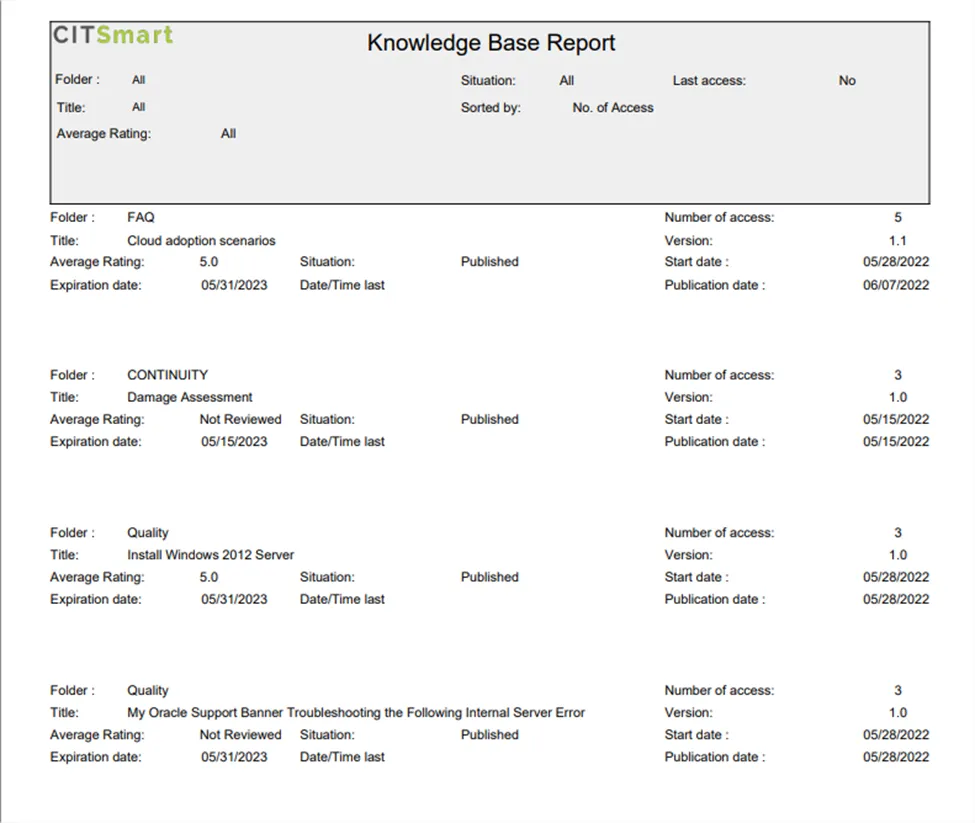
This report aims to present the information about the knowledge in the knowledge base.
- Access the functionality through the main menu Reports > Knowledge Management > Knowledge Base;
- Set the filters as needed.
🖊 Note: It is presented in the report the amount of knowledge, and this amount is counted by users, being counted only 1 click per hour.
Generating a quantitative report of the knowledge base
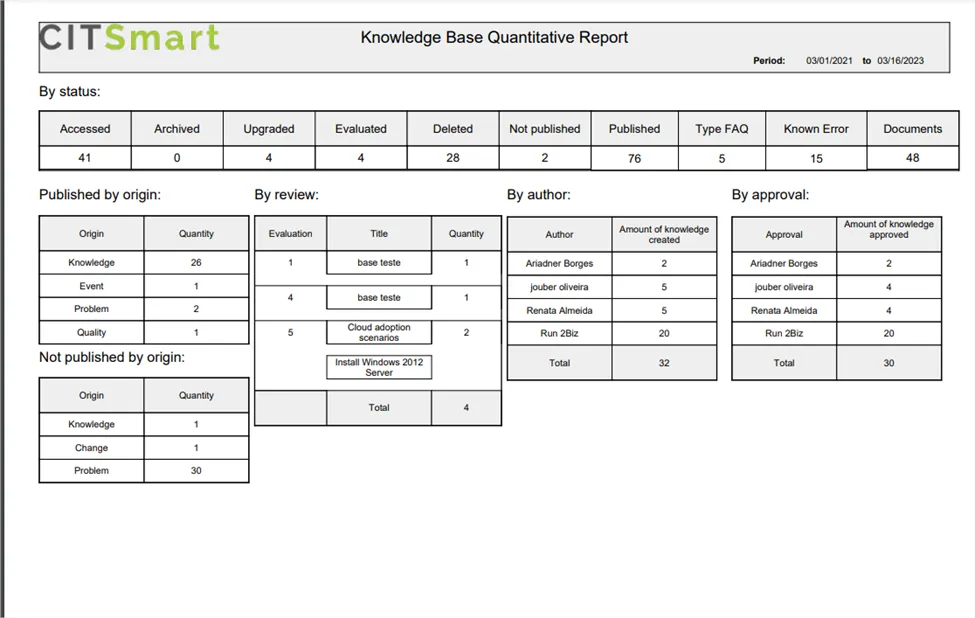
This report aims to present the amount of knowledge by status, origin, evaluation, author, and approver, in the knowledge base.
- Access the functionality through the main menu Reports > Knowledge Management > Knowledge Management Quantitative;
- Set all filters as needed.
Example of quantitative report, offering information about status and most popular contents:
Example of content effectiveness report:
Generating a report of documents accessed in the knowledge base
This report aims to present the number of documents accessed in the knowledge base.
- Access the functionality through the main menu Reports > Knowledge Management > Documents Accessed;
- Set the filters as needed.
Generating a report of maintenance in the knowledge base
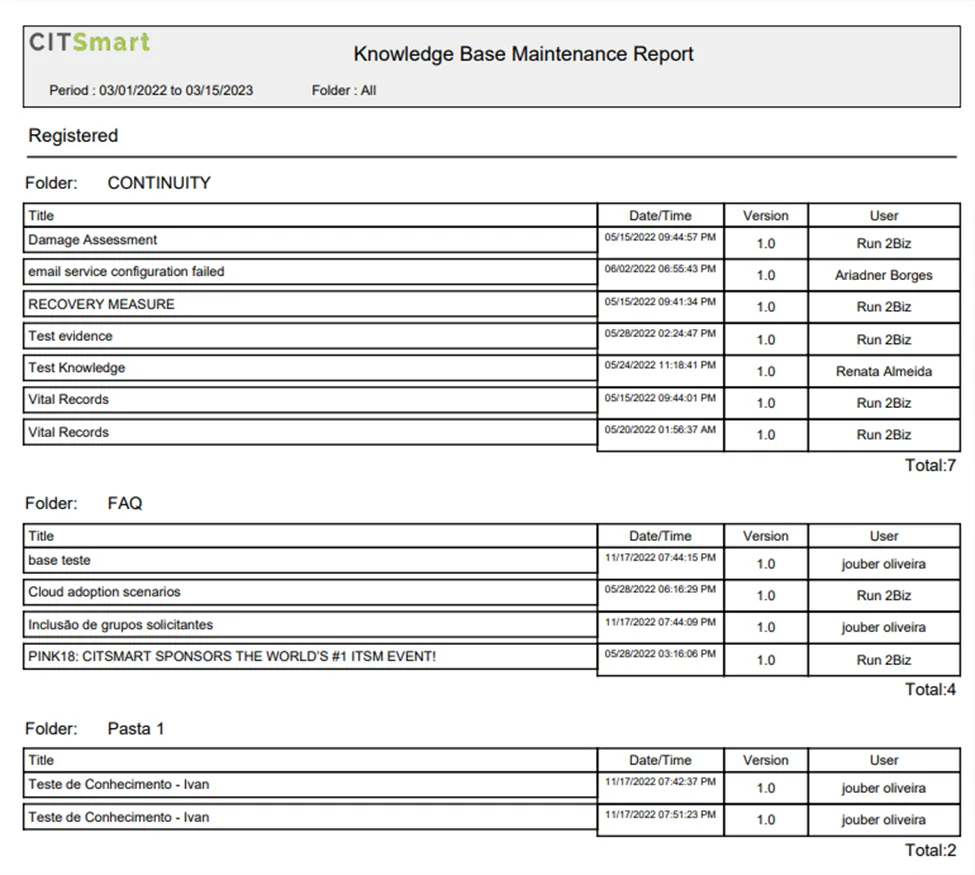
This report aims to present the information about the registration and/or change of knowledge in the knowledge base.
- Access the functionality through the main menu Reports > Knowledge Management > Knowledge Management Maintenance;
- Set the filters as needed.
Example of maintenance report:
Examples of knowledge report use
User engagement
The reports can be used to support dynamic lines of questions (LOQs), process wizards, analytic trends, business rules, target knowledge sources, and/or dynamic portlets to guide users to present targeted searches and responses.
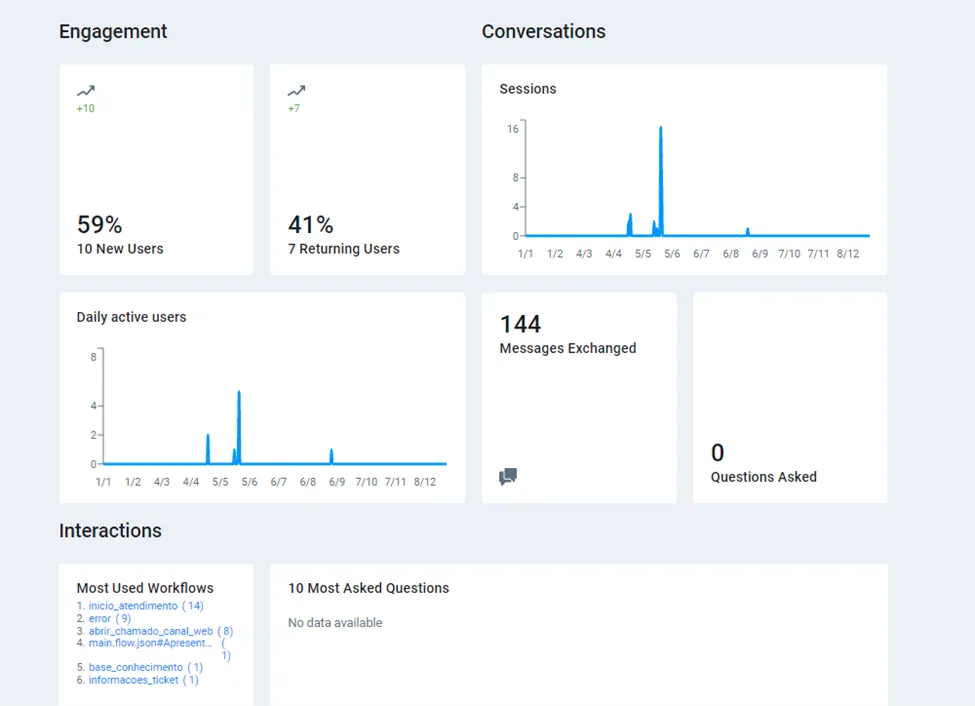
It is possible to use reports to gather predictive insights, trend analysis, and alerts to improve decision-making.
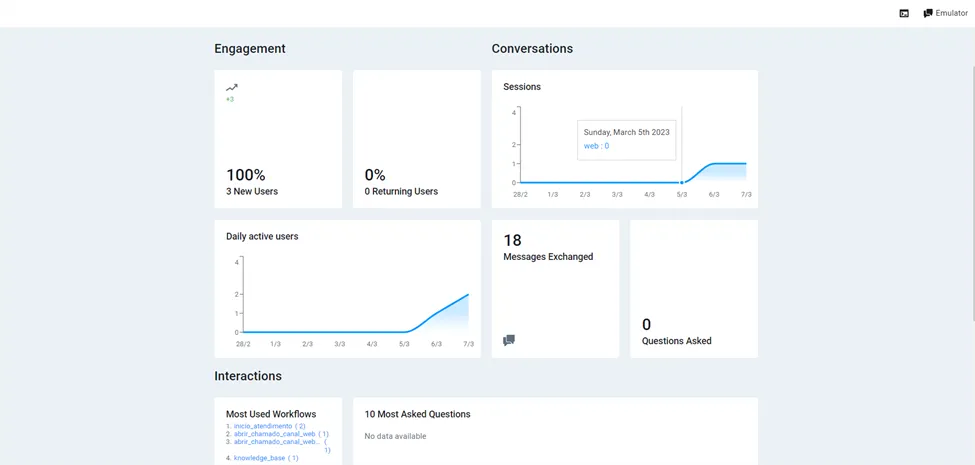
Documents
The system keeps track of the knowledge usage, information that can be exported to specific reports. These reports can also be used to analyze and understand the knowledge and information that is available.