Database Connection
Lowcode requires Database connections to interfaces with the database.
It is a good practice to create one DB Connection per Lowcode Application.
Before getting started
Must have the Driver to Access the desired type of database.
Procedure
- Access the functionality through navigation in the menu Lowcode > Configuration > Database Connection;
- Click on "New";
- Complete the fields available;
- Type of connection can be (JNDI or Direct Connection):
- For JNDI connection, enter the JNDI Context, and the JNDI Name;
- For direct connection, enter JDBC Path, User, and Database Password.
- Click on "Save".
NOTE:
All the fields in the Items list will be used as filter to restrict the items listed.
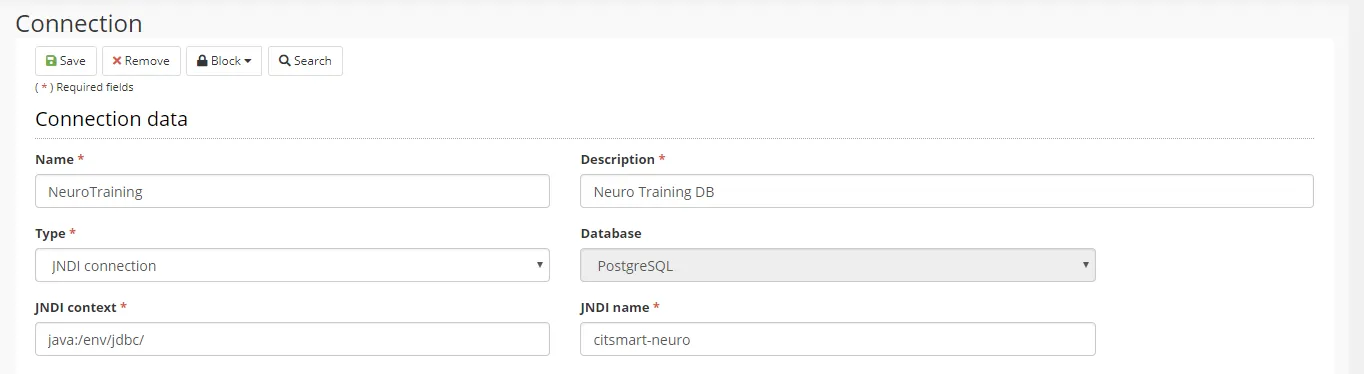
Figure 1 - Application