Knowledge
Presentation
The purpose of Knowledge Management is to manage the information, as it is an important asset of the company. The knowledge is compiled in a base so all system users can have a leveling of techniques and better comprehension of the use and operation of the product.
Knowledge is an extremely valuable asset for an organization. Knowledge can contain text, images, videos, links, and various other audiovisual resources. CITSmart Knowledge Management makes it possible to register, control, and make available any informative content to various types of audiences.
In addition, knowledge is linked to various management functionalities, making it possible to control the entire life cycle of knowledge and to notify interested parties at each change of phase.
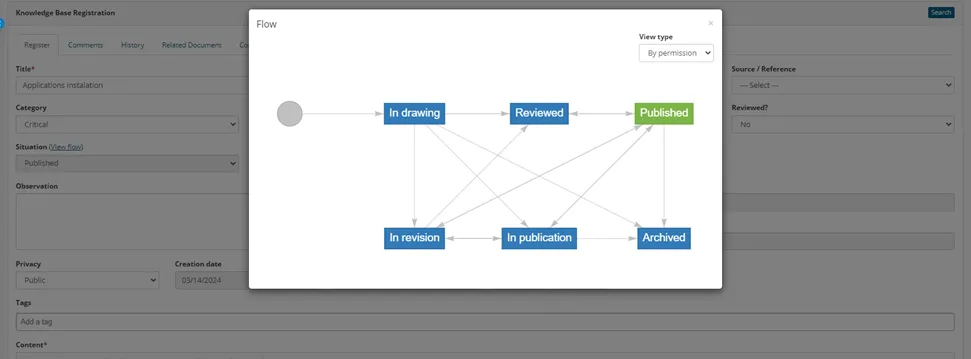
Knowledge management in CITSmart has the following phases and statuses:
- Design (In design);
- Review (Under review and Revised);
- Approval (Under assessment);
- Publication (In publication and Published);
- Archiving (Archived).
Provides a repository for the storage and management of knowledge articles and supports the federation of knowledge with external sources, enabling a single view or point of access to all necessary knowledge.
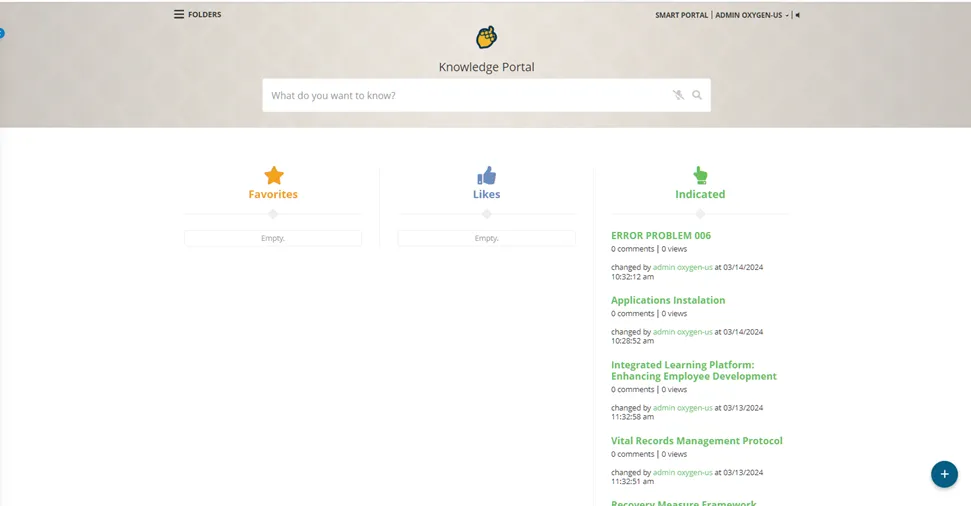
Yes it does, customer can access all information on Knowledge Portal or Customer Portal
______________________________________________________________________________________________
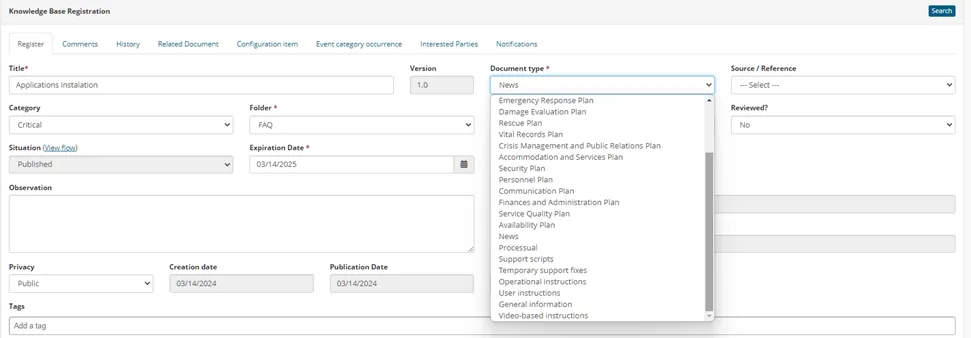
Different types of knowledge can be defined, and unique templates can be created for each type of knowledge; common types of knowledge can include, but are not limited to:
· Procedural
· Support scripts
· Temporary support fixes
· FAQs
· Operational instructions
· User instructions
· General information
· Video-based instructions
Clients can create their own types of knowledge, as needed.
The platform delivery OOTB all categories and customer can create with their own needs or Knowledge type
______________________________________________________________________________________________
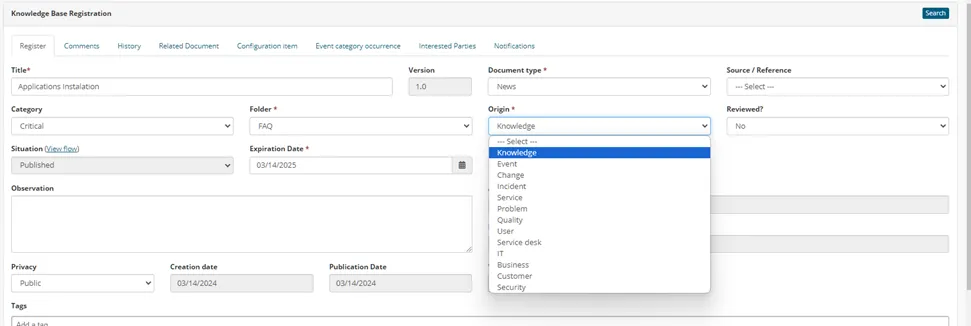
Different categories of knowledge can be defined; common categories of knowledge can include, but are not limited to:
· User
· Service desk
· IT (and various categories within IT)
· Business
· Customer
· Security
Clients can create their own categories of knowledge, as needed.
The platform delivery OOTB all sources and customer can create with their own needs or Knowledge origin
______________________________________________________________________________________________
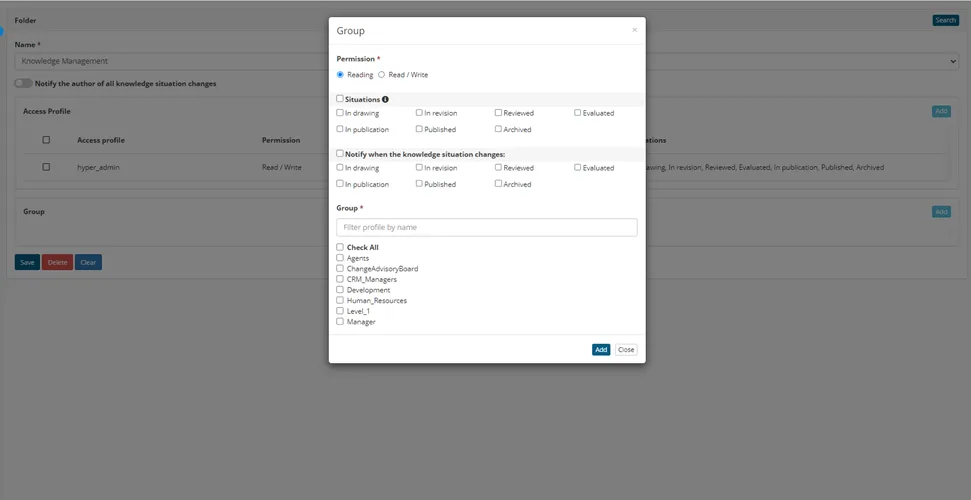
Access to different types and categories of knowledge is controlled based on user ID, types of users (end users, service desk staff, IT staff, power users, etc.), and other client-defined controls.
Based on customer roles or group the admin can define control knowledge base access
______________________________________________________________________________________________
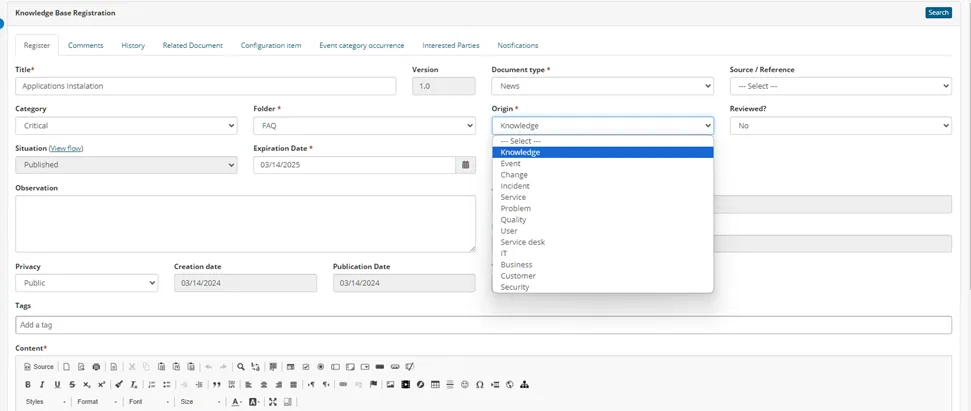
New knowledge can be created in the following manners, this must include, at a minimum:
· Manual creation
· Knowledge created from other record types such as incidents, requests, problems, changes, and releases using information contained in these records
· Imported from external knowledge sources and systems through integration or data loads
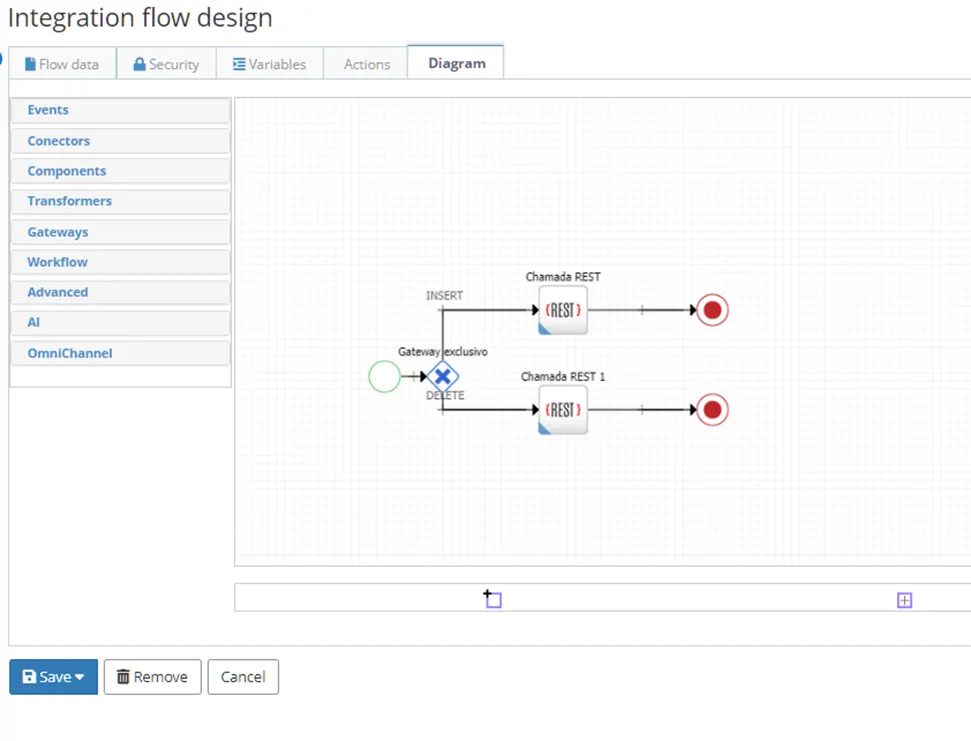
The knowledge Article can be create manually, from others relates process or using API integration for gather information from external bases
______________________________________________________________________________________________
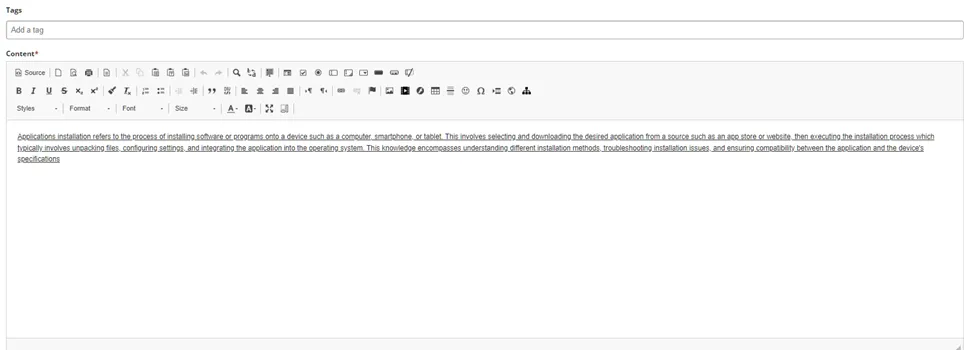
Knowledge articles can include links to external sources and the attachment of different types of documents, spreadsheets, and audio/visual media.
Customer can add visua, audio, media in description field or as attachment
______________________________________________________________________________________________
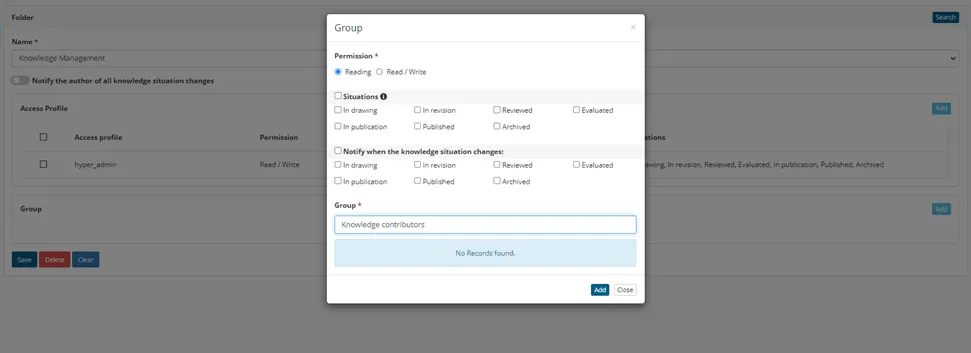
Various roles can be identified and assigned to specific knowledge articles, categories, or types of knowledge; these roles may include, but are not limited to:
· The knowledge owner
· Knowledge contributors
· Knowledge reviewers (both subject matter experts and quality assurance)
Clients can create their own knowledge roles, as needed
Roles and groups can be created for identify and specific assigned to specific knowledge articles
______________________________________________________________________________________________
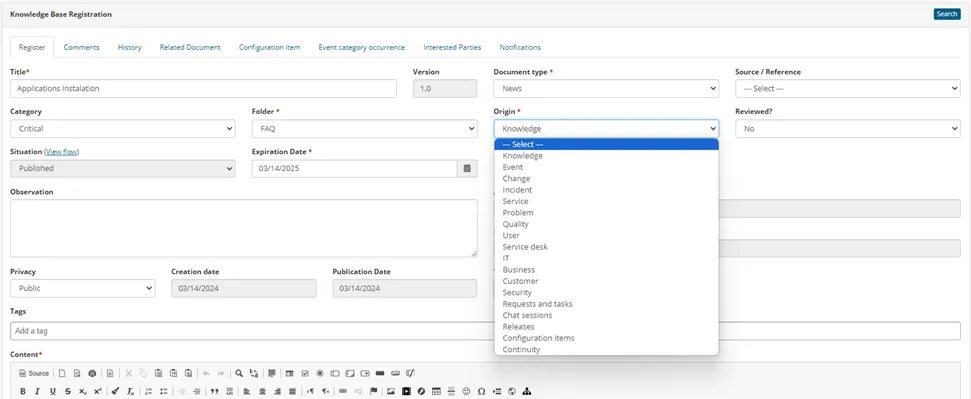
Knowledge articles can be accessed through and linked to other record types. This must include, at a minimum:
· Incidents
· Requests and tasks
· Chat sessions
· Problems
· Changes
· Releases
· Configuration items (Cis)
· Service (records)
· Continuity or disaster recovery plans (related DR plan records in the CI database)
Yes, it does directly from each process in platform
______________________________________________________________________________________________
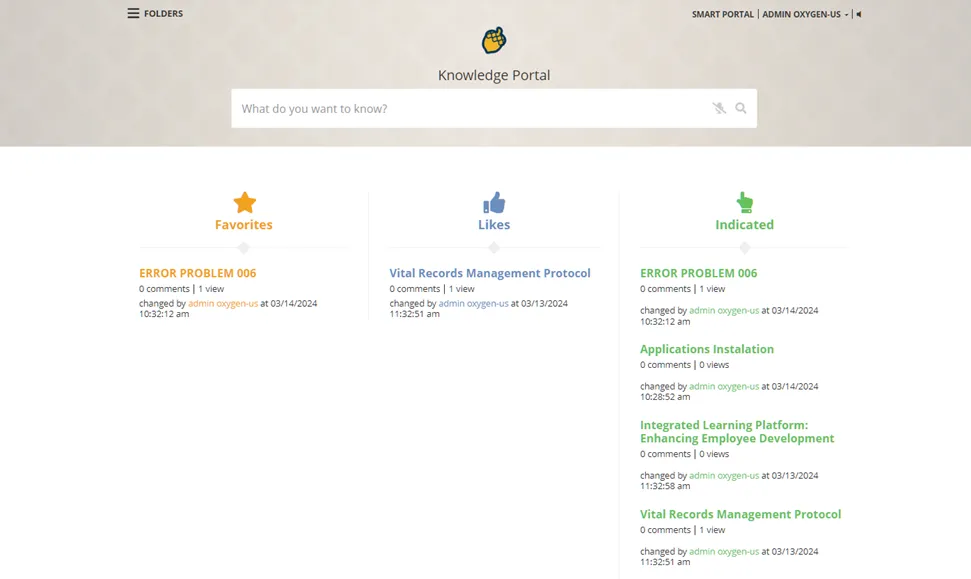
Knowledge articles can be accessed by end users via a portal or the service catalog, and access to knowledge can be managed through user ID and other client-defined controls.
The results of these knowledge searches can be limited based on specific criteria, for example:
· If a user is searching for knowledge from within a specific service or service category, the returned knowledge can be limited to that service or category
· If a user is searching for knowledge from within a specific request, the returned knowledge can be limited to that request or request type
Customer roles/group the platform will allow that customer search only those specific articles that he can access.
______________________________________________________________________________________________
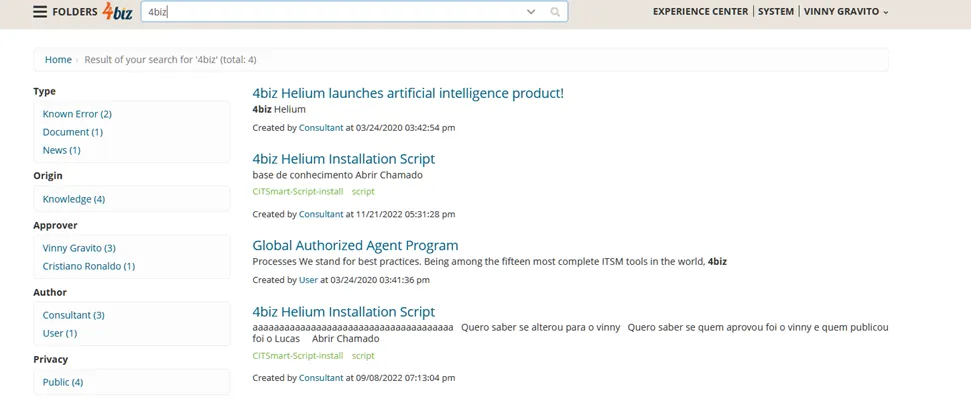
Knowledge search results can be filtered. Common methods of filtering and presenting knowledge can include, but are not limited to:
· Most accessed or used
· The highest quality or usefulness rating
· The most relevant, based on keywords
· The latest creation date
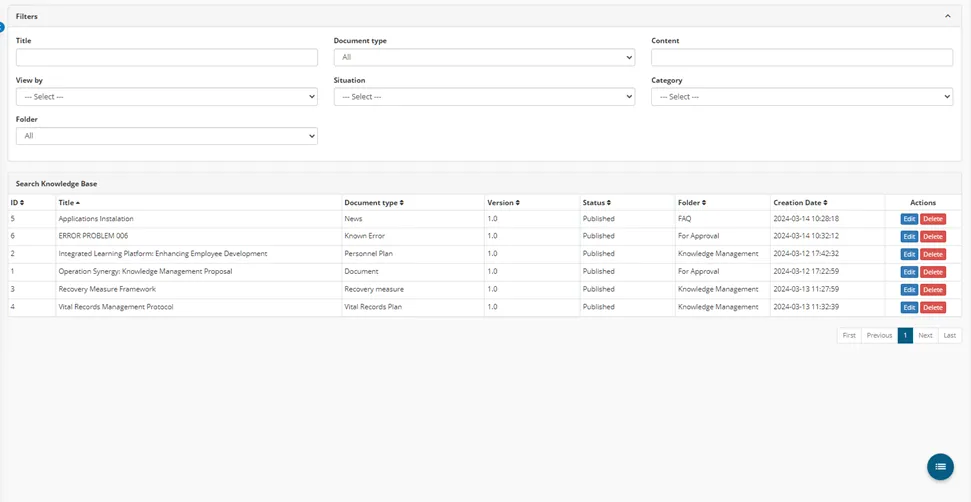
The knowledge base search is an open search and customer can use filters method like type, Origin/Source/ Approver, Author, Privacy, Tags. All information presented respecting relevance and customer rules
______________________________________________________________________________________________
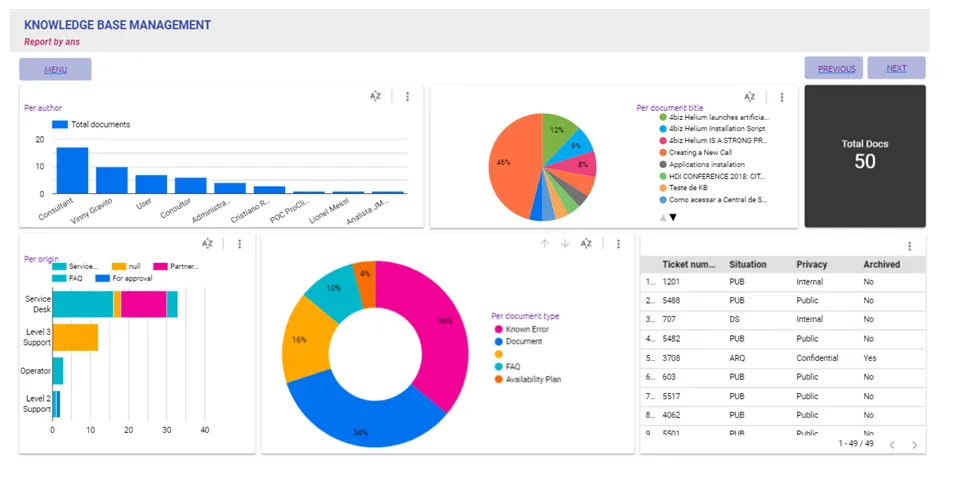
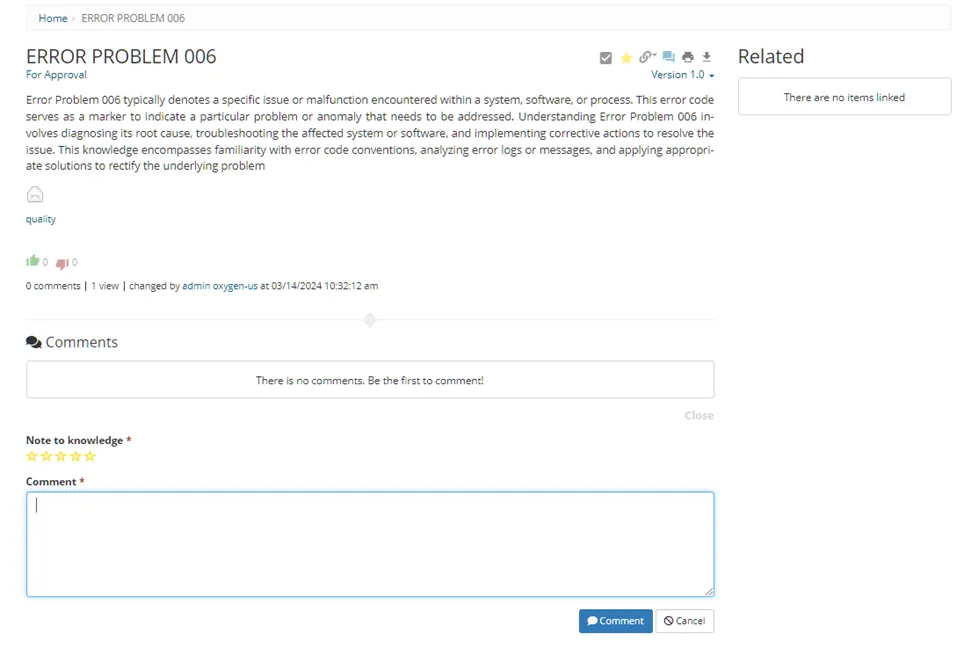
User metrics can be captured, such as the number of times a knowledge article was accessed and through user feedback. Common examples of user feedback can include but are not limited to:
· The level of quality of the knowledge
· Usefulness or helpfulness
· Relevance
This feedback can be in the form of rating scales, brief survey questions, and free text feedback.
Reports session customer can get information about knowledge article access, usage and relevance

__________________________________________________________________________________________
As part of user feedback, users can initiate notifications for specific conditions; examples of these conditions can include, but are not limited to:
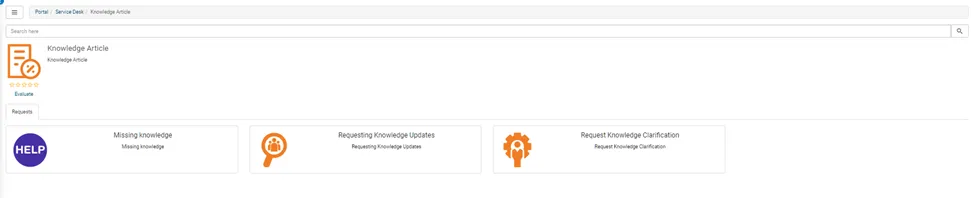
· Missing knowledge, or an inability to find knowledge articles that they were looking for
· Requesting updates or revisions to existing knowledge
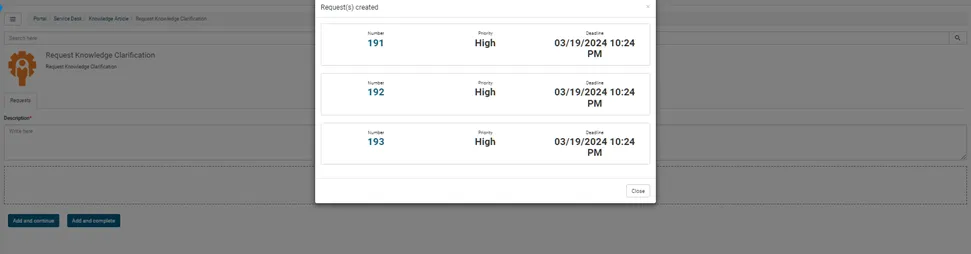
· Requesting clarification of the information presented in knowledge articles
Customer can create request for knowledge base from service portal
______________________________________________________________________________________________
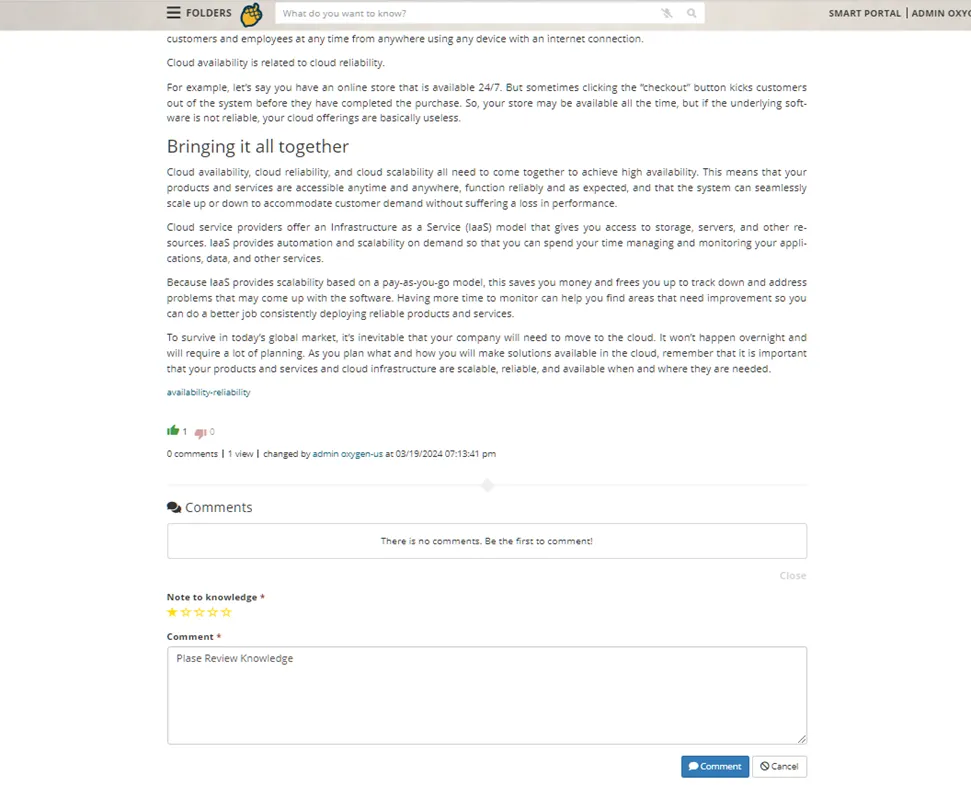
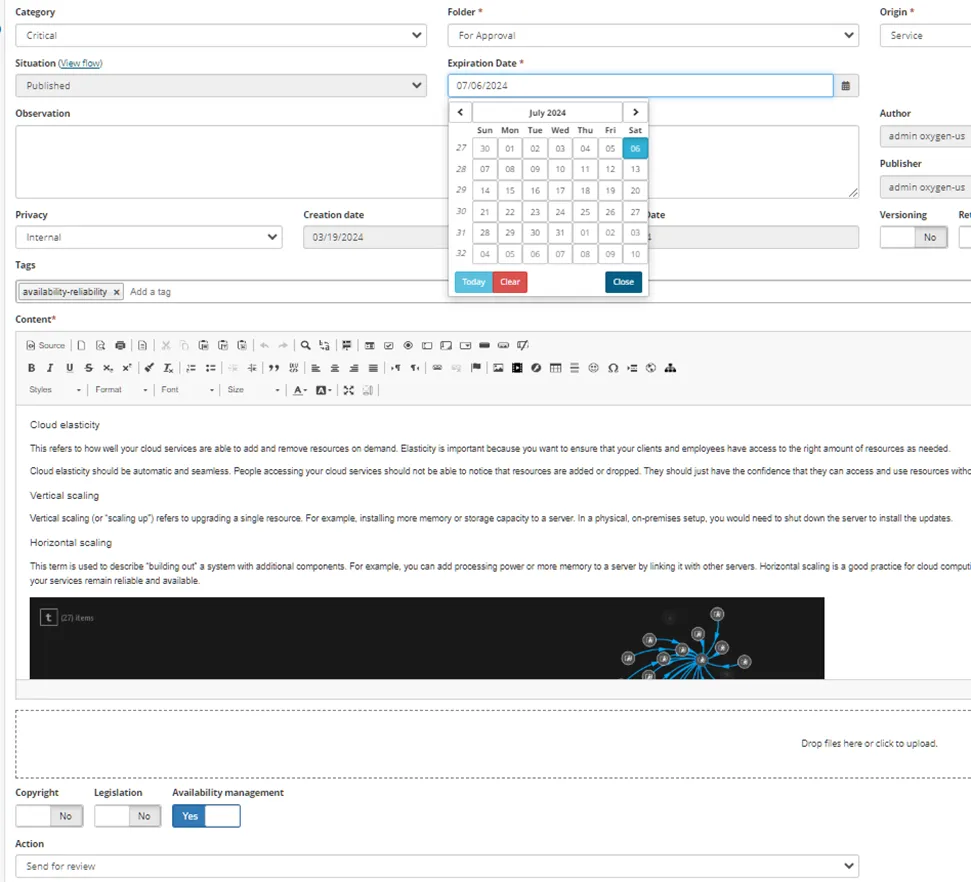
Knowledge articles can be systematically flagged for review based on pre-defined thresholds or targets against user metrics and feedback.
Using workflow its possible do get knowledge metrics and based on threshold create a Request Knowledge Review or change knowledge status. The workflow must be created and configurated for each knowledge type that can be customized by customer.


______________________________________________________________________________________________
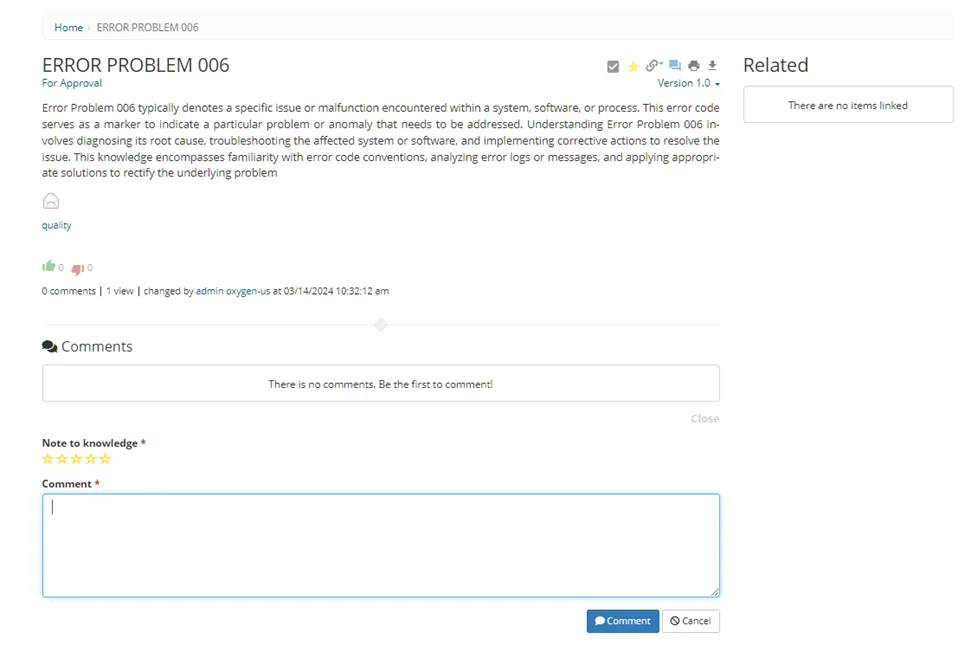
Users can save or identify individual knowledge articles for quick access and reuse; examples of this can include, but are not limited to:
· Frequently accessed knowledge articles by a specific user, types of users, services, etc.
· ‘My favorite’ knowledge articles
· The ability to bookmark knowledge articles
· The history of knowledge articles that a user previously accessed


______________________________________________________________________________________________
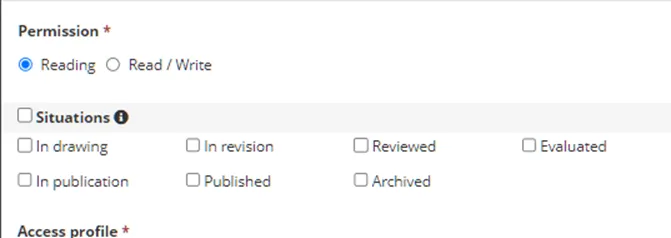
The life cycle of knowledge articles can be managed, which relies on action statuses and related dates. Common knowledge life cycle statuses can include, but are not limited to:
· Draft
· Peer or subject matter review
· Quality review
· Scheduled review
· Rejected
· Published
· Retired
Clients can create their own knowledge statuses as well.
Customer can create new status for each document based on default life cycle.
______________________________________________________________________________________________
The life cycle status of knowledge can be driven by pre-defined workflows that include task assignments to individuals and notifications
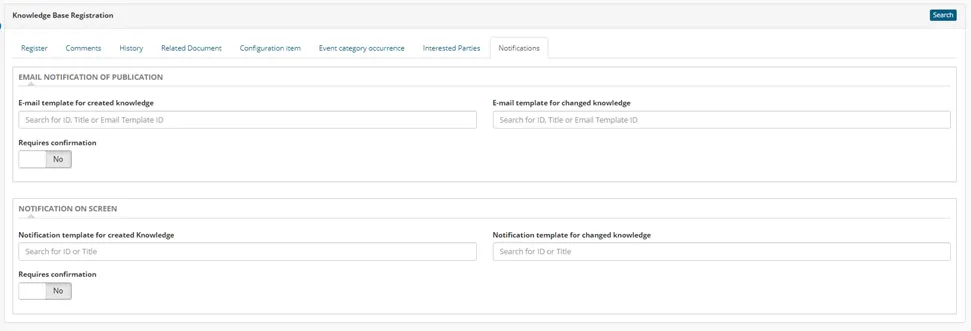
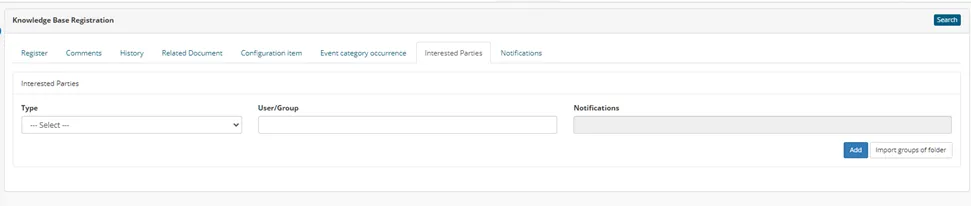
Each knowledge can be configurated with notifications and Interested Parties for get message when some change in article happen
______________________________________________________________________________________________
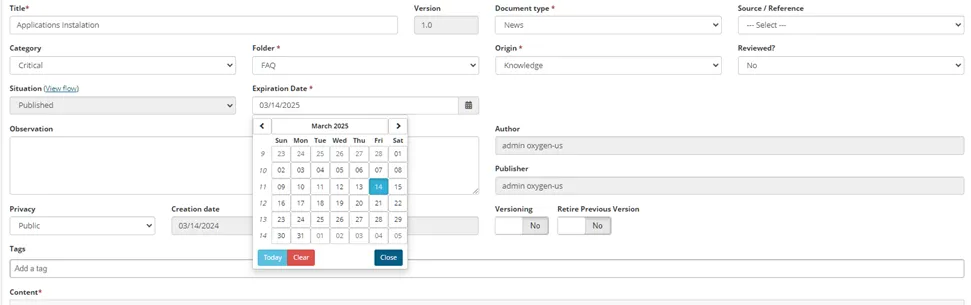
The next review dates and last review dates are supported, which can be used to enable notifications and workflows for scheduled knowledge article reviews.
Next review dates can be systematically identified based on a client-defined time frame from the initial publish date or last review date.
The system will send message when review date was reached.
______________________________________________________________________________________________
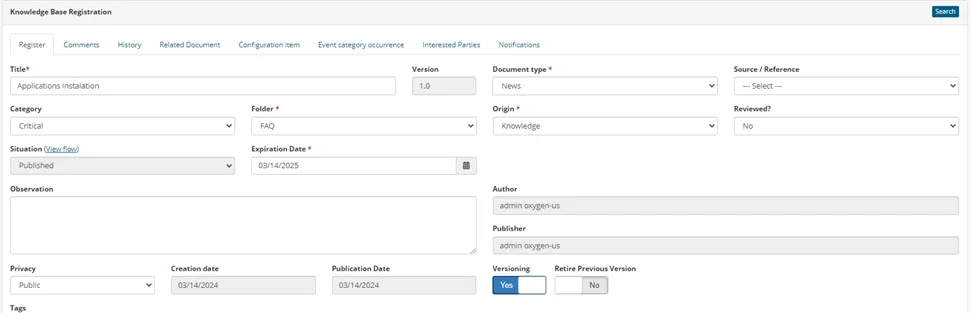
Knowledge articles can be managed using version controls.
Each article can be versioned after each change
______________________________________________________________________________________________
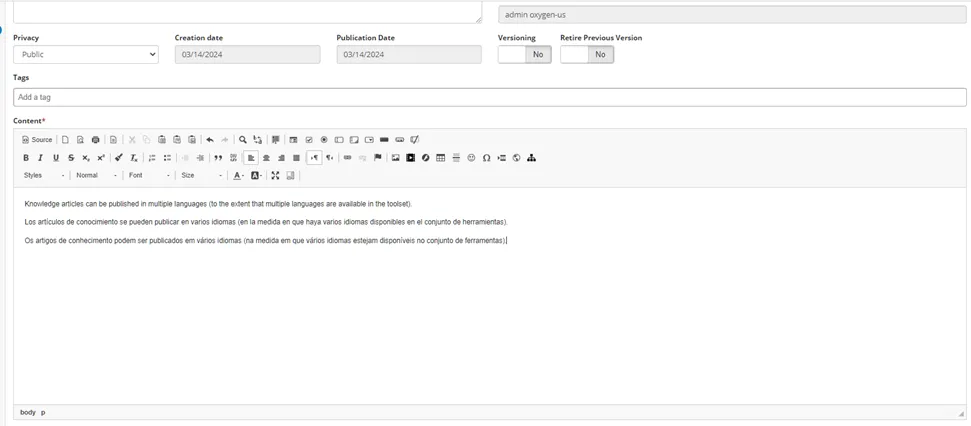
Knowledge articles can be published in multiple languages (to the extent that multiple languages are available in the toolset).
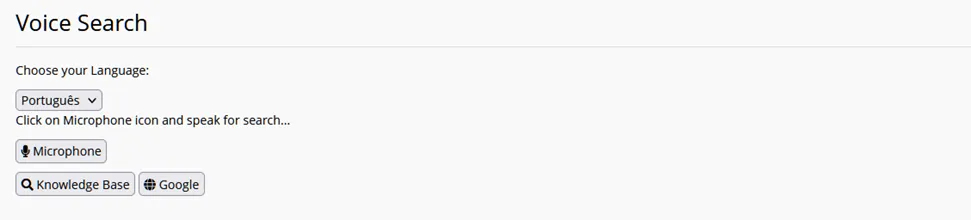
Content can be published based on customer language divided by folder for each one or using native browser language