Ceremony Templates
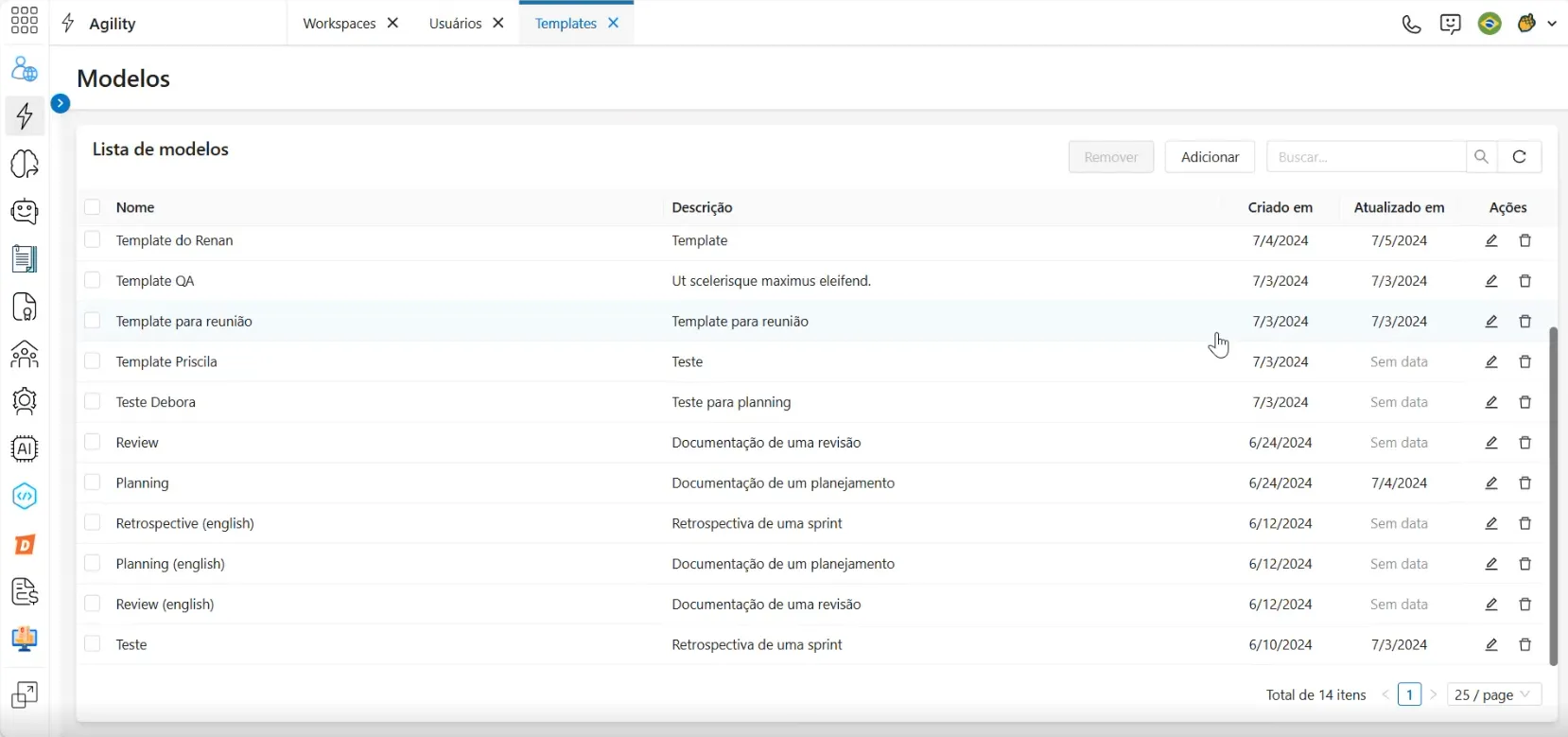
The Ceremony Manager Templates screen displays a list of templates created in the system.
Creating a template
To create a new template, click the Add button in the upper right corner of the screen, next to the search bar.
A new menu will appear on the right side with fields to include information for the new template:
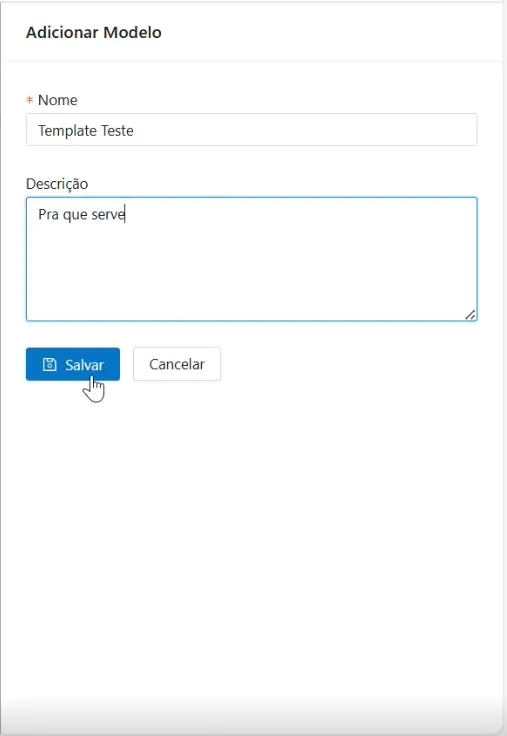
In the Name field, enter the template name. In the Description field, include a brief description indicating the template's purpose.
After entering the information, click Save to add the template to the list.
In the template list, click the Edit icon to return to the creation screen.
Documents
After creating a template, you can add a document template to it. To view a template's document template, double-click on a template in the list. For more information about documents, see Documents.