Templates
The Templates screen displays a list of registered templates and allows you to register and link new templates.
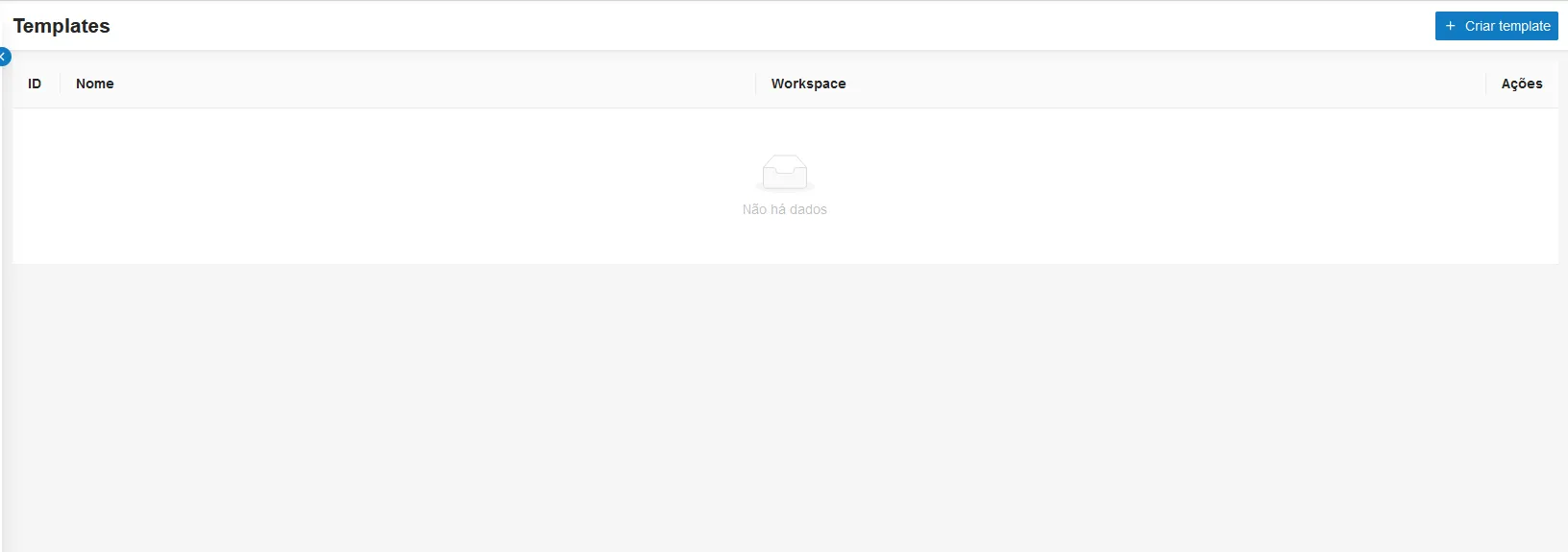
The Templates list shows information about each template divided into columns:
- ID - Template ID
- Name - Template names
- Workspace - Workspace names
- Actions - Available actions for the template:
- View - Allows viewing details of the selected template, including project names, swimlane management, and tasks
- Duplicate - Creates a copy of the selected template by entering a new name for it
- Archive - Archives the selected template after confirming the action
At the bottom of the page, a button displays page numbering and the number of templates to be shown in the view.
Procedure
Create new template
In the upper right corner of the screen, select the Create Template button to display the release creation screen:
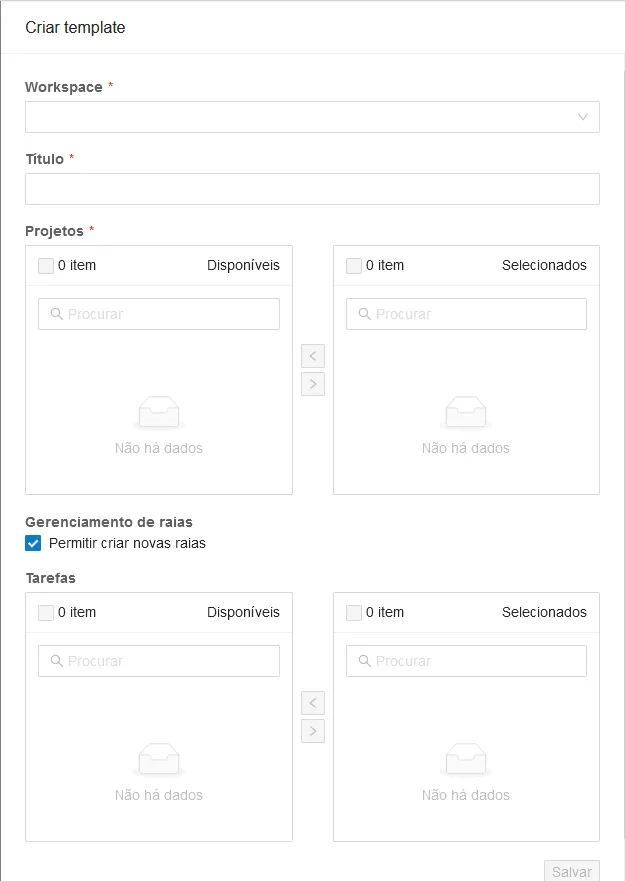
Field | Description |
|---|---|
Workspace(*) | Select the Workspace |
Title(*) | Enter a name for the new template |
Projects(*) | Select projects from the chosen workspace |
Swimlane Management | Check or uncheck to allow creating new swimlanes |
Tasks | Select tasks from the chosen project |
Fields marked with (*) are mandatory.
Click the Save button at the bottom of the page to create a new template.