Costs
The Costs screen allows you to create descriptions and costs to be linked elsewhere, as well as displays information about them.
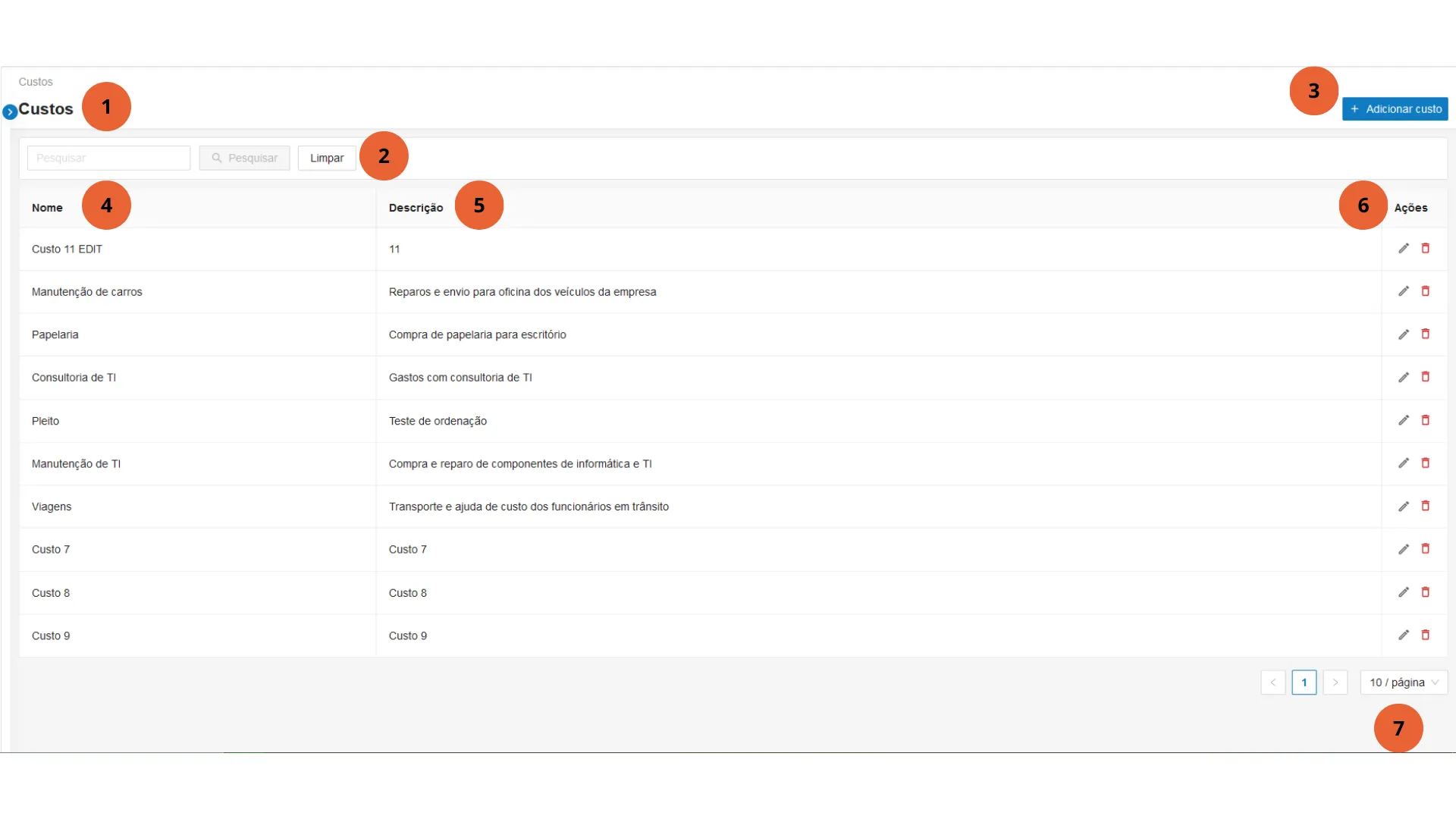
- Main menu - Expands or collapses the Agility main menu.
- Search - Allows searching/filtering costs by Name, as well as clearing filters.
- Add cost - Click the button to add a new cost. A screen will be displayed with fields to enter the Cost name and description. Press Save to create a new cost or Cancel to return to the costs screen.
- Name - Name of the cost.
- Description - Cost description.
- Actions - Available actions for the cost:
- Edit - shows the cost creation screen with fields pre-filled for editing
- Delete
- Listing and pages - Allows navigation through page listings and selecting how many items to display per page.