Component
Component properties are intrinsically linked to the "Component". They come preloaded and are the properties that Low Code already knows. These components will appear when manipulating the forms.
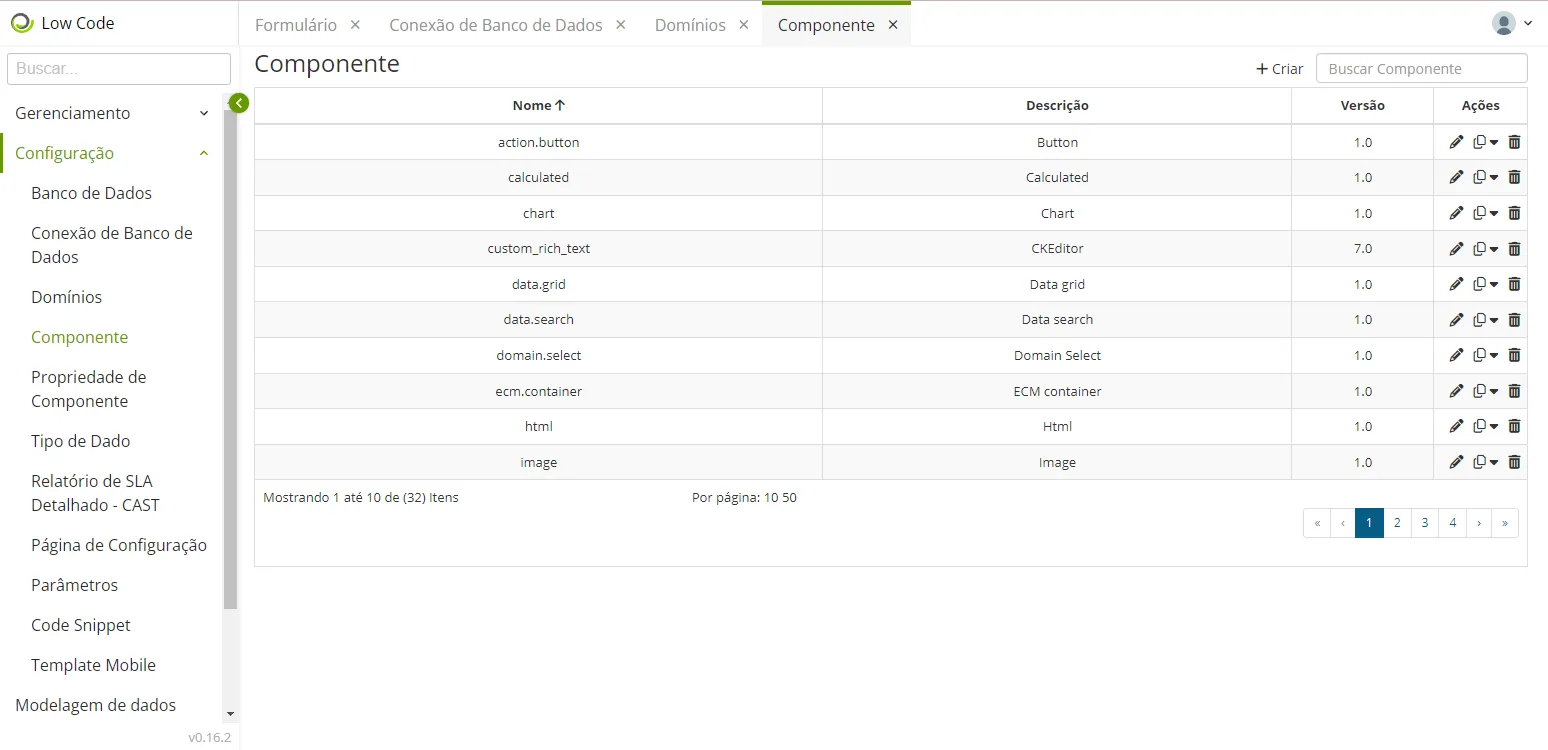
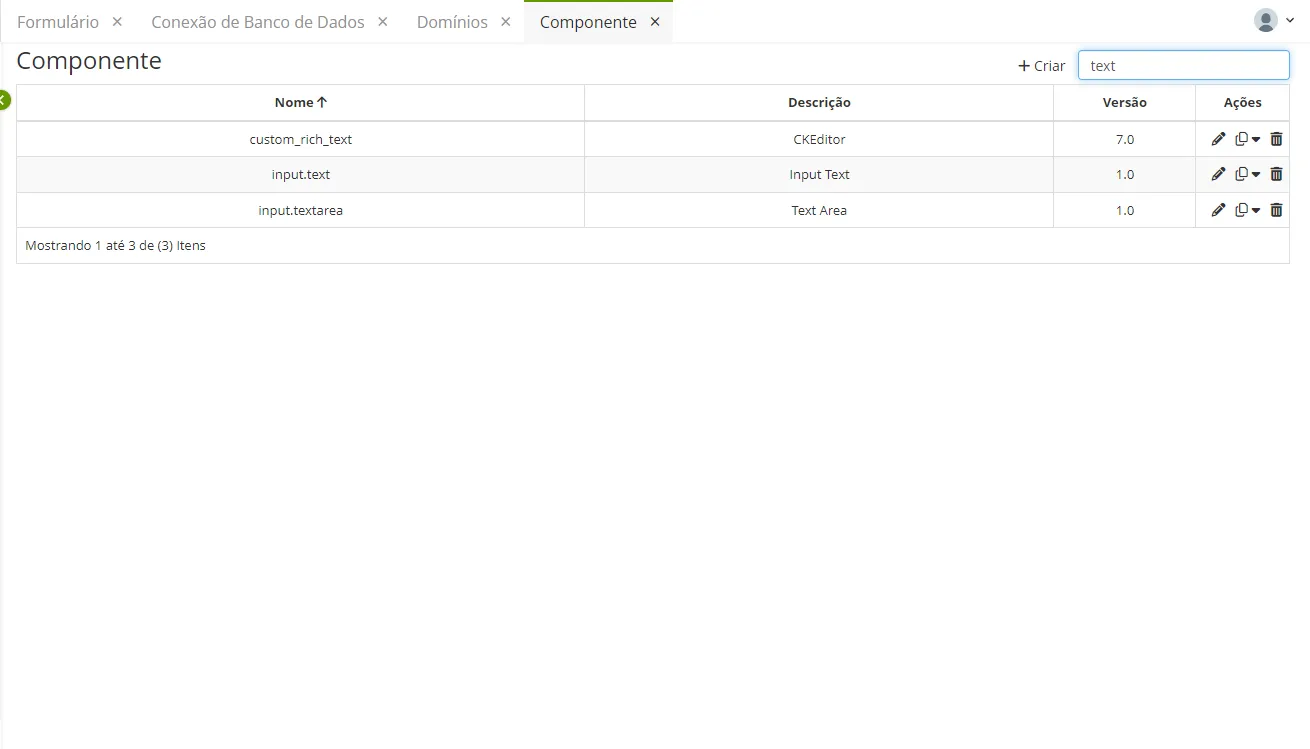
- It is possible to search for a component (of text type) by clicking on the search bar that appears on the upper right side:
Field | Description |
|---|---|
Name (*) | Unique identifier of the component |
Description | Identify the component with a brief description |
Type (*) | Classifies how the components are displayed on the form screen; |
Version | Most updated version of the component |
Icon (*) | Images to be included, previously registered |
Properties | All Properties inserted will appear on the form. Also, determine which ones will be used. |
Selected Properties |
|
Fields marked with an asterisk (*) are mandatory.
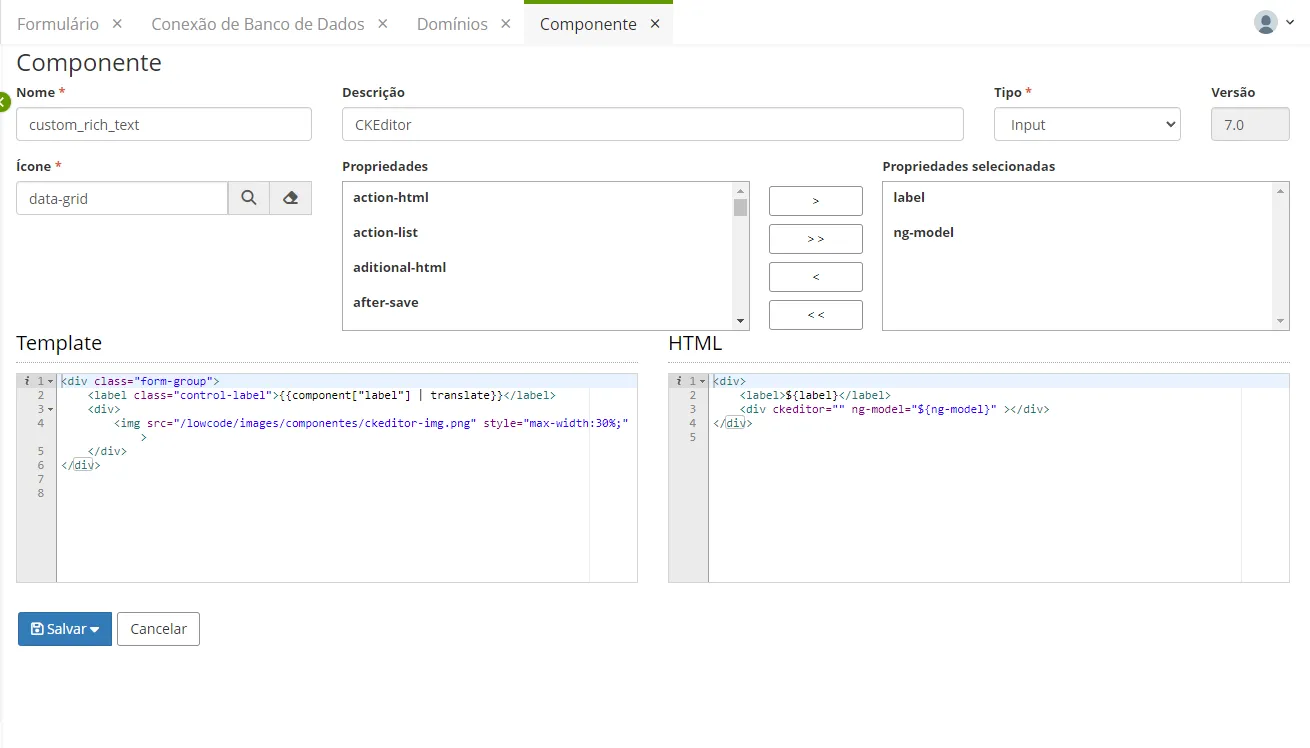
- After finishing the edition, click "Save". You can save either "as a new version" or "in the original version (1.0)".
In a way, the components will appear when creating a @form and, in addition to that, their properties will appear on the right side:

⚠️ Attention!
The technical part is intended for Developers to build their components. If a developer wants to build a component that is not part of the list of components preloaded and defined by Low Code, they will need to define an HTML template.
This HTML template will be displayed in the form. While the HTML is what will be rendered when displaying the form. Also, remember that the rendering is handled by the Low Code Back-End.