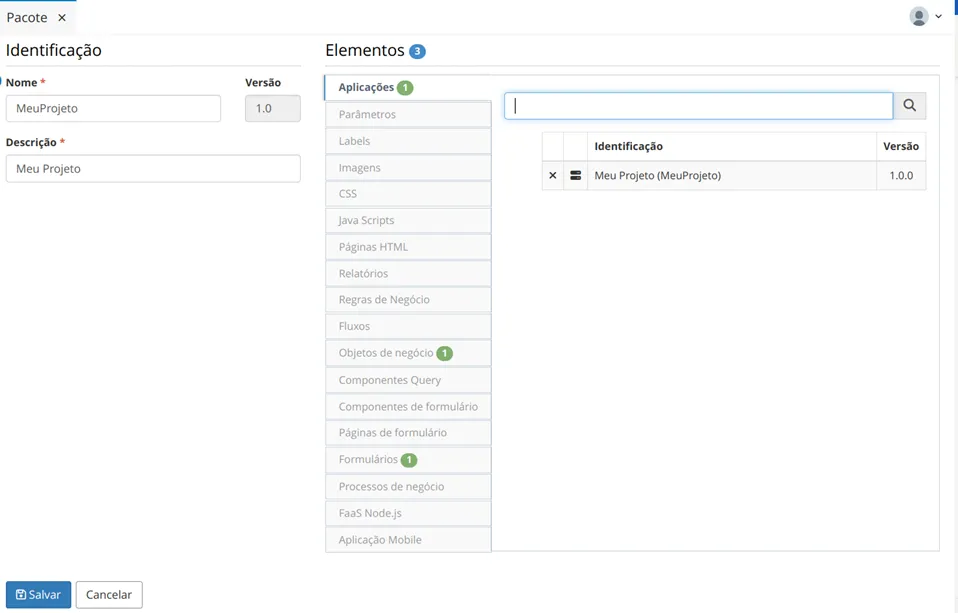
Package
A package is a collection of Low Code artifacts that are part of a project. These artifacts can be of the following types:
How to Access
- Access the functionality through the navigation menu Management > Package.
Procedure
Managing Packages
- To register a new package, click on the "Create" button.
- Provide the Name and Description of the package. Then, add the Elements that will be part of the package.
- Click the "Save" button to complete the package registration and the "Search" button to return to the main screen.
- To export a package, select the package and click the "Export" button. Packages are exported in JSON format.
- To import a package, click the "Import" button, specify if the version of the package to be imported should replace elements with the same identifier, and whether the DDL for creating/modifying Business Objects should be executed. Select the file corresponding to a previously exported package and click the "Import" button.