Domain
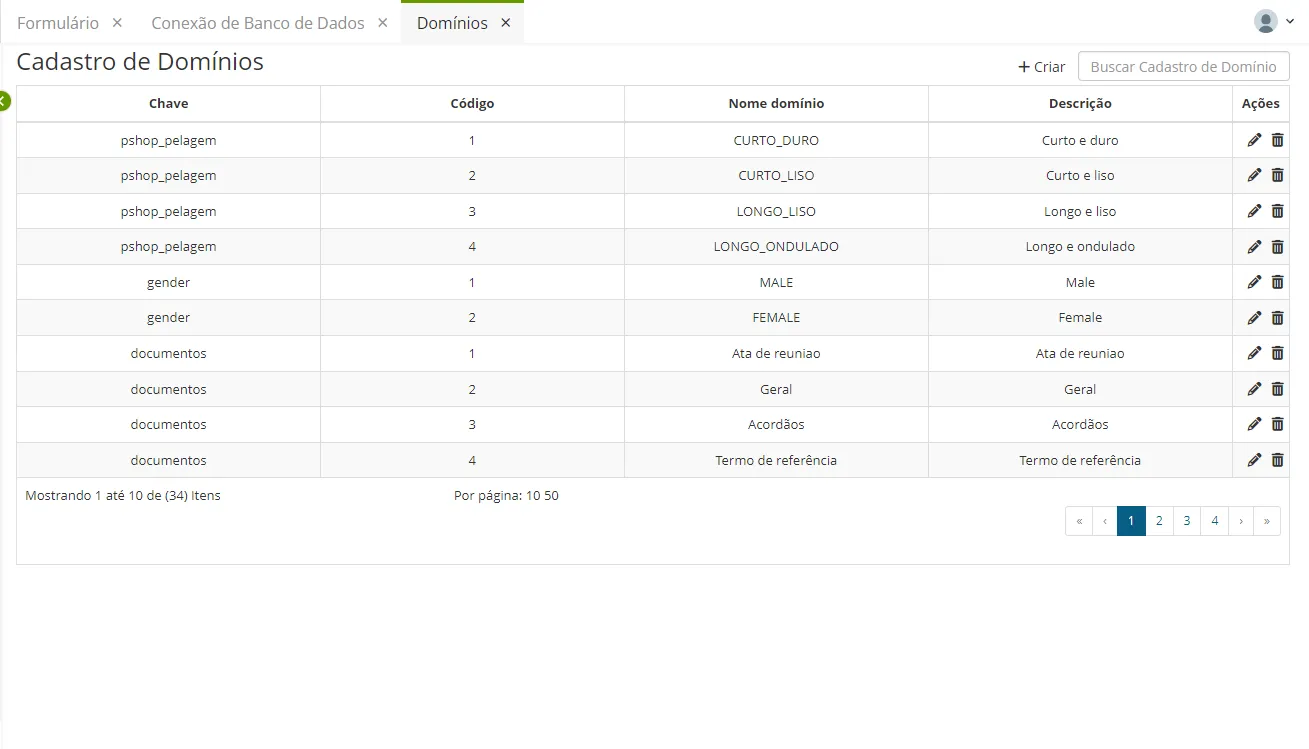
Domains allow defining key/value pairs that can be used throughout the system, maintaining information consistency across all Low Code applications.
Procedure
Access the functionality through the navigation menu Configuration > Domain;
- Click "Create";
- Fill in the fields with the information of the new Domain;
- Key (domain name) to group the items;
- Code to uniquely identify the domain item;
- Domain Name;
- Description.
- Click "Save".
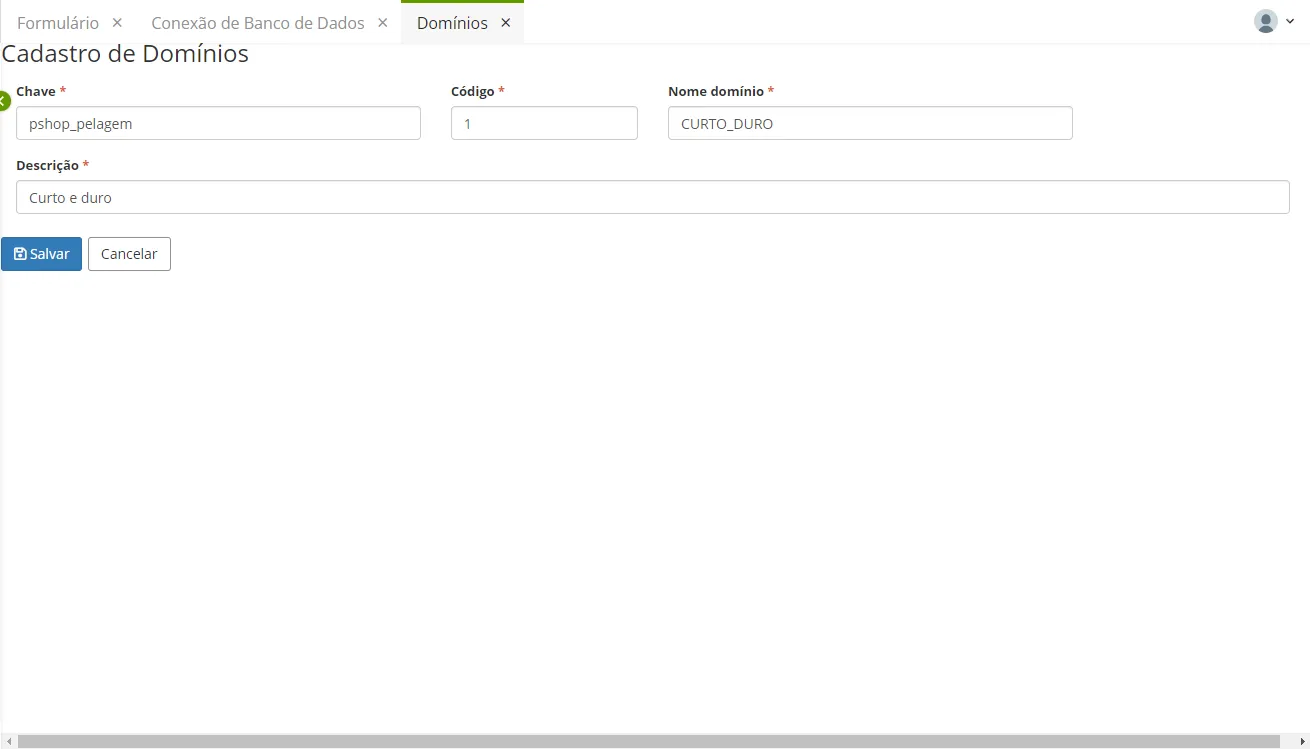
The domain shown above was created to classify the documentation entered in the student's history. The domain serves to restrict or classify the data that will be inserted into the database.
In this case, the domain is classifying whether the document entered is the student's academic transcript or high school diploma.