Parameters
This tab refers to the registration of parameters used by Low Code.
Procedure
Access this functionality through the navigation menu Configuration > Parameters.
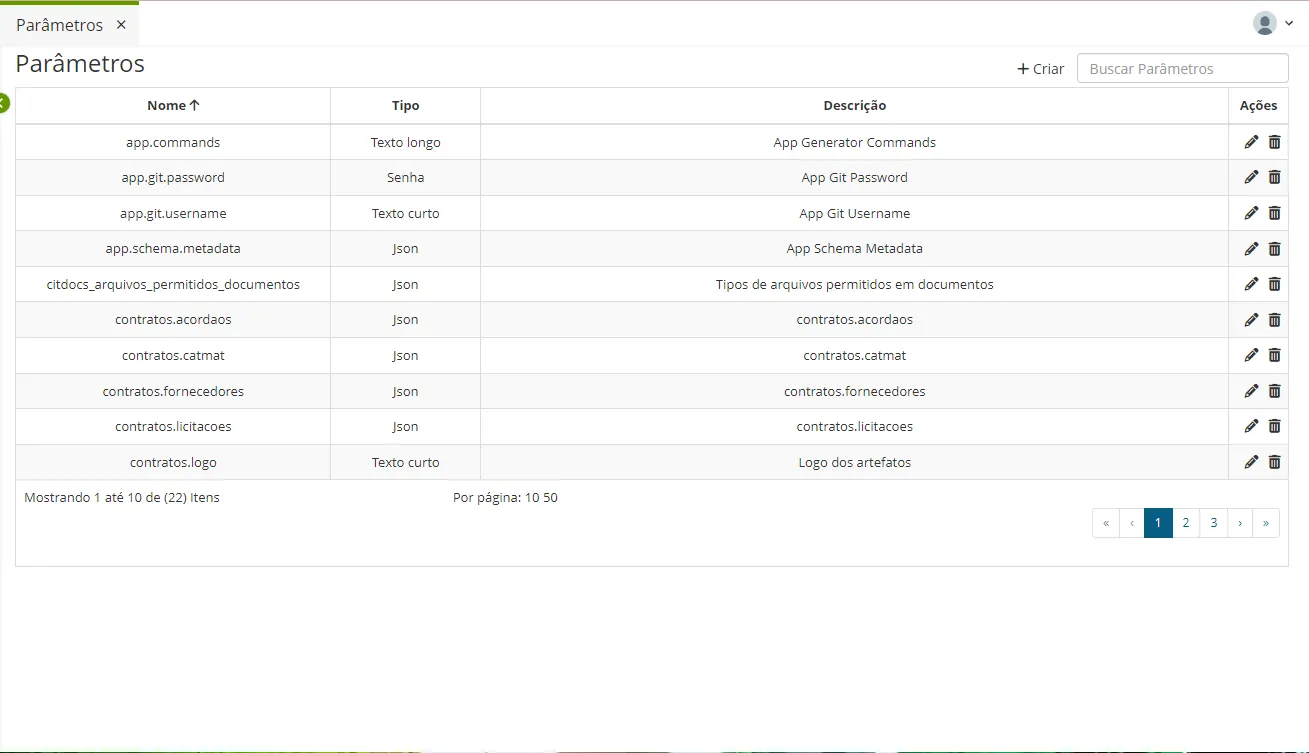
To register a new parameter, click the "+Create" button.
Fill in the Name, Type, and Description. The system will present the Value field according to the selected type.
Click the "Save" button.
To edit a parameter from the list, click "Edit".
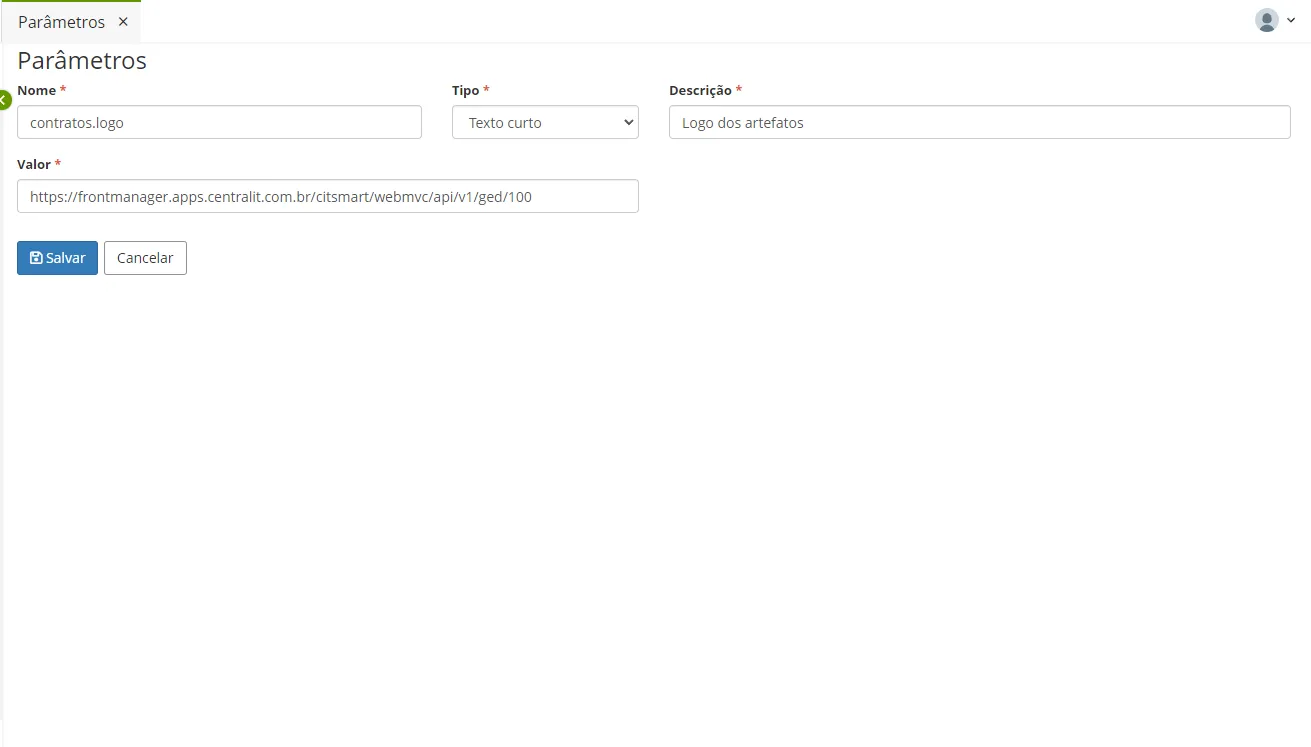
✏️ Note: Parameterize the application or any aspect of the application only if necessary.
In the example above, if you want to parameterize the application's URL:
- Give a name to the parameter.
- Select the type.
- Create a description and enter the application's URL.
- Click Save.