Variables
This tab configures the variables that will be used in the integration flow. Variables are objects capable of retaining and representing a value or expression during the flow's runtime.
Step by Step
To add a variable, click the "Add" button. Fill in the fields:
- Variable name;
- Description;
- Store in database: whether the variable should be stored internally in the Low Code data model;
- Return variable: whether the variable should be included in the output JSON object returned at the end of the flow execution;
- Value list: Whether the variable contains a list of values;
- Mandatory input variable for execution: This option should be selected if the flow execution depends on the variable's existence before execution begins;
- Variable type;
- Initial variable value, which can be a constant or a value returned by script execution.
✏️ Note: Internal storage implies direct writing to the database. Depending on the flow's usage, not saving to the database might be an option.
In the example below, we have a flow that fetches an address based on a ZIP code:
Although the "store in database" option isn't selected for the ZIP code, it will be saved to the database when the fields are automatically filled and the record is saved.
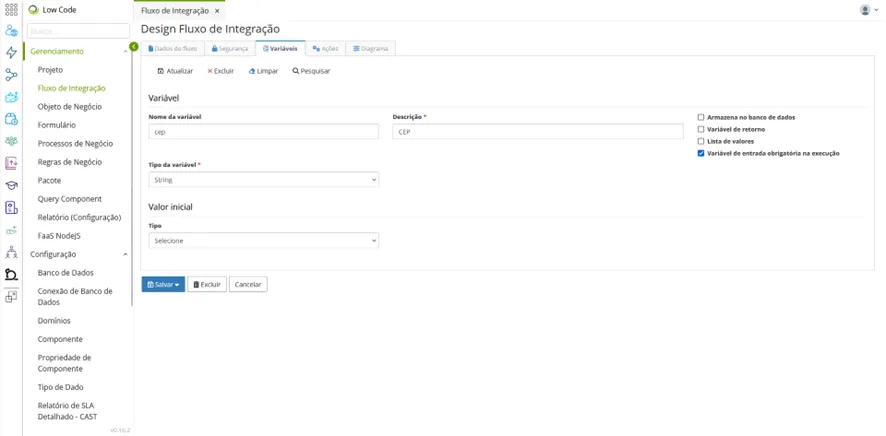
Click the "Save" button to include the variable.
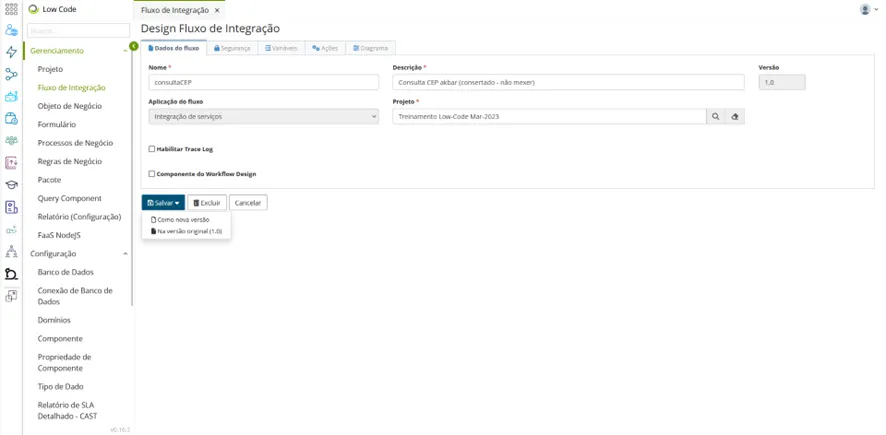
⚠ Warning! To save changes permanently, you must click the "Save" button in the Flow Data tab.