Database Connection
The main purpose of Low Code is parameterization, meaning there will always be a way to handle and manipulate the screen. Therefore, it is worth mentioning that nothing in Low Code is fixed.
To work with a database, a connection to the database is required, especially when dealing with business objects.
This connection is presented as follows:
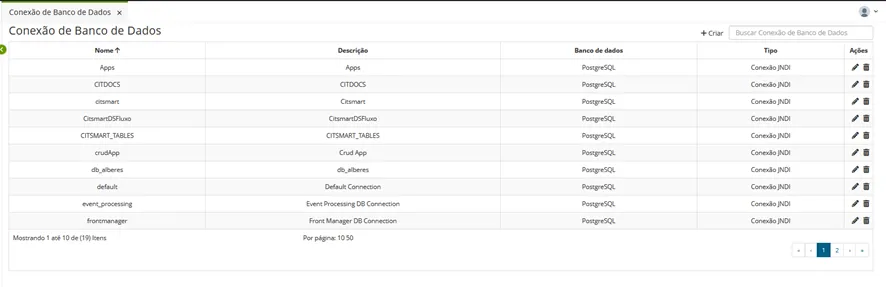
🖊 Note: All database connections can only be related to the three types mentioned in Database Microsoft SQL Server, Oracle Database , PostgreSQL, which in turn are necessary for the correct operation of business objects.
However, Low Code offers integration with any other database through the Integration Flow.
Procedure
To create a database connection:
You must have Infrastructure access to this database. Physical access (if it is virtual, it must be published), among other items, must be configured by Infrastructure.
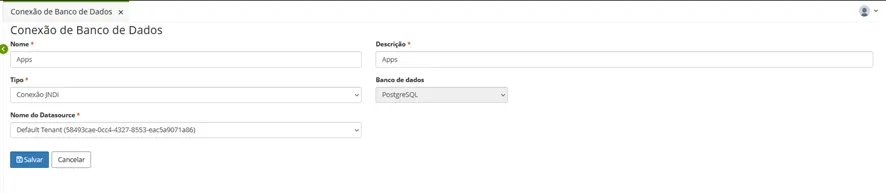
Campo | Descrição |
|---|---|
Nome (*) | Insira o nome sem espaçamento |
Descrição (*) | Coloque uma descrição |
Tipo (*) | Selecione entre conexão JNDI ou conexão direta |
Nome do Datasource (*) | Dependendo dos tipos de conexões que colocar, entre a conexão JNDI ou direta, duas opções de bancos de dados serão exibidas. |
Fields with an asterisk (*) are mandatory.
JNDI Connection
Shows options that are configured in the application container. It will also depend on the Infrastructure team to perform the necessary configurations.
Example: Front Manager Data Source (frontmanager)
In the case of the Default Tenant, it is the Tenant or the database connected to this URL: https://frontmanager.apps.centralit.com.br/lwc/page/DATABASE_CONNECTION
Check Tenant for more information.
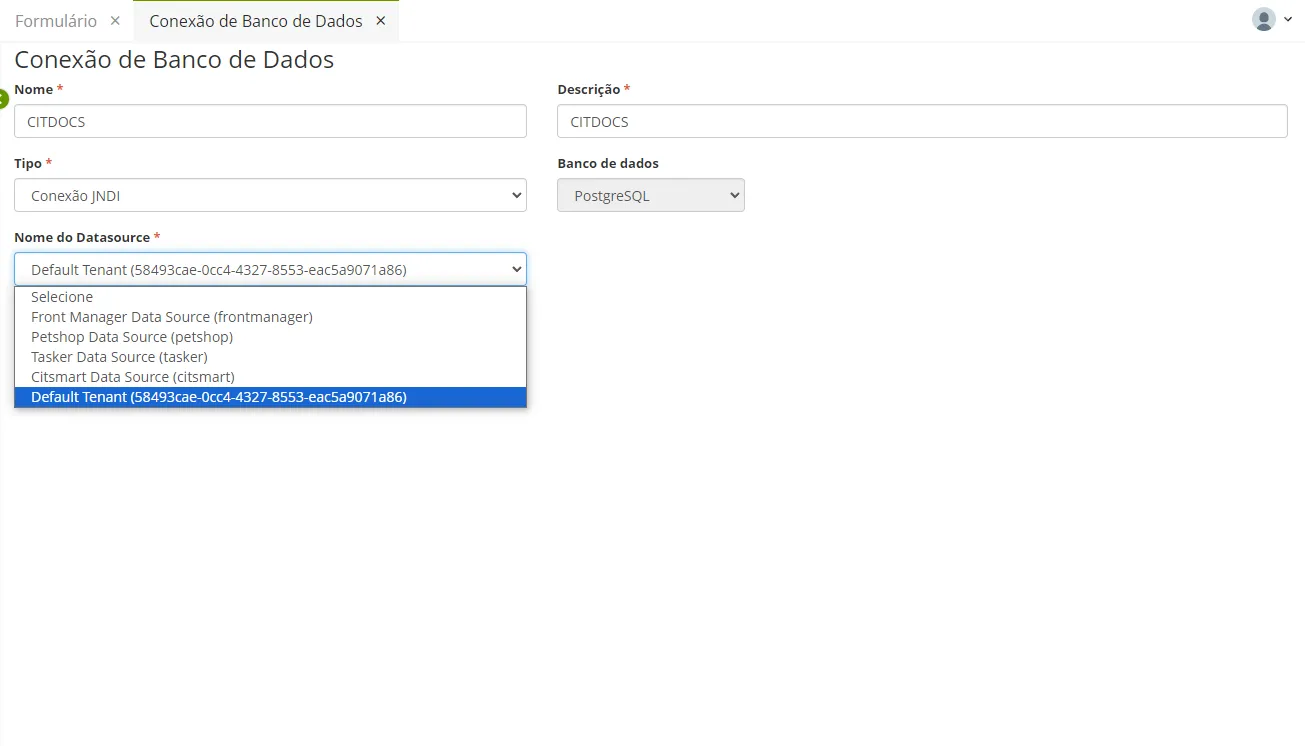
Click "Save" after completing.
Direct Connection
The other type of connection refers to the direct connection.
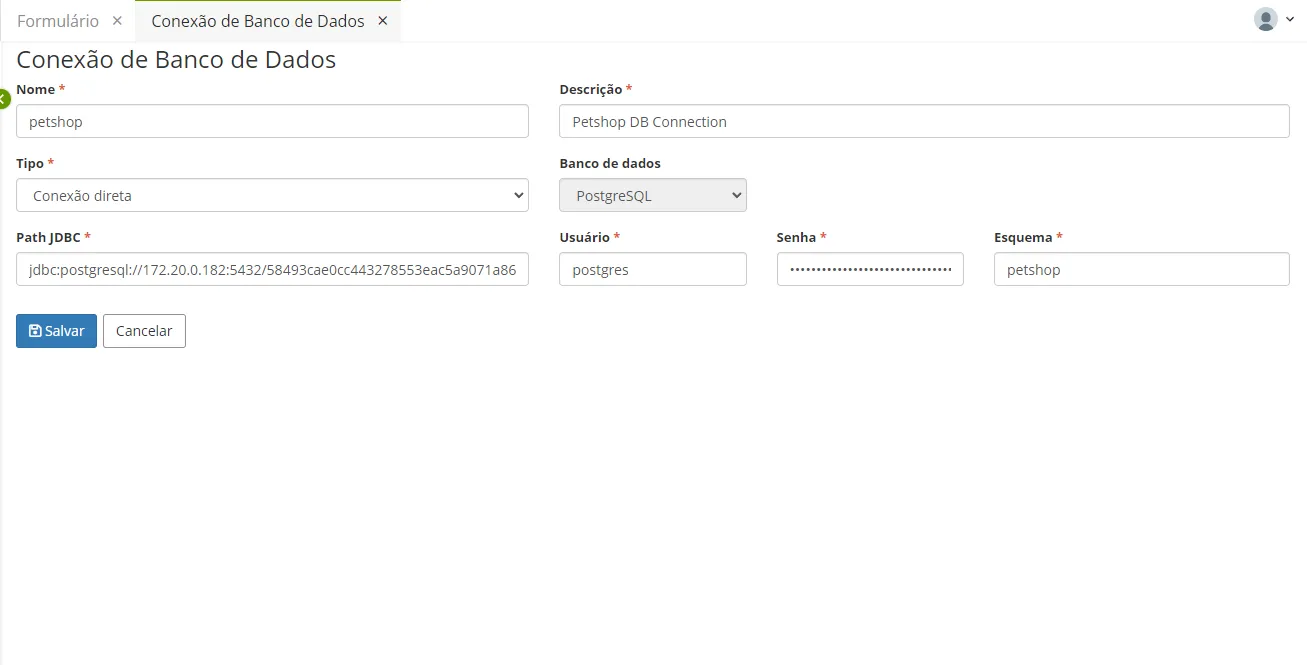
Campo | Descrição |
|---|---|
Nome (*) | Escreva um nome sem espaçamento |
Descrição (*) | Insira uma descrição |
Tipo (*) | Conexão direta |
Path JDBC (*) | É possível escrever livremente a URL de conexão, o usuário, a senha e o esquema, desde que tenha acesso ao banco de dados. Exemplo: jdbc:postgresql://localhost:5432/hyperplataform |
Usuário (*) | Selecione usuário do banco de dados |
Senha (*) | A senha do usuário do banco de dados |
Esquema (*) | Insira o esquema das tabelas do banco de dados |
Fields with an asterisk (*) are mandatory.
🖊 Note: All passwords entered in Low Code screens are encrypted at the source and are encrypted in both directions (from the server to the browser and vice versa).
⚠️ Attention! Regarding the user*, if you enter a user that has not been previously registered (that does not exist), Low Code will attempt to establish the connection, and consequently, it will time out because it will not be able to connect.
The timeout depends on the database configuration. Also, you must use the necessary credentials to be able to connect to the database.